Open a sent campaign to see its Results, counted from sending until now from the email provider's reports.
Where to find it
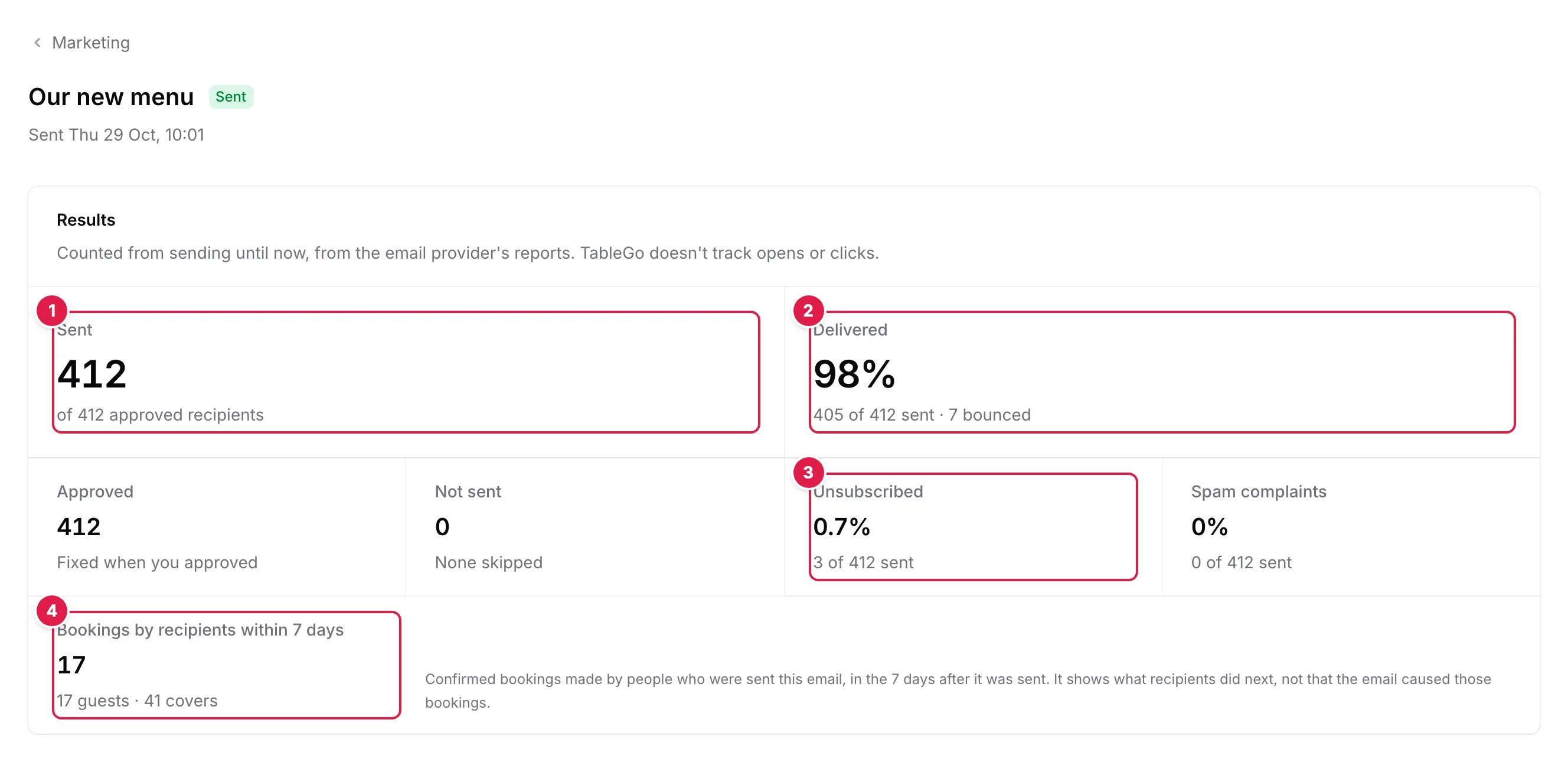
- Sent: emails that went out, of the recipients you approved
- Delivered: accepted by guests' inboxes, and how many bounced
- Unsubscribed: guests who opted out from this email
- Bookings by recipients within 7 days of sending
- Sent — how many of the approved recipients were sent the email
- Delivered — how many were delivered, and how many bounced
- Approved — the recipients fixed when you approved it
- Not sent — approved recipients who didn't get it, with the reasons below
- Unsubscribed and Spam complaints
Below 100 emails sent, rates show as counts, for example 11 of 12 sent; from 100, as percentages.
Bookings by recipients within 7 days#
The confirmed bookings made by people who were sent the email, in the 7 days after it was sent to them, with how many guests and covers. It shows what recipients did next, not that the email caused those bookings. Until the 7 days are up, it says still counting.
Note
Why some guests weren't sent it#
Not sent lists each reason with how many guests, for example:
- Emailed by you in the last 72 hours
- Opted out before sending
- Address bounced before, or marked an earlier email as spam
- No longer in the audience you chose
- No usable email address
All your campaigns#
The Marketing page shows Delivered and Unsubscribed for everything sent in the last 30 days, and how much of this month's allowance you've used. Its Campaigns list shows each campaign's recipients and deliveries.