Booking widget & website
Let guests book the moment they find you
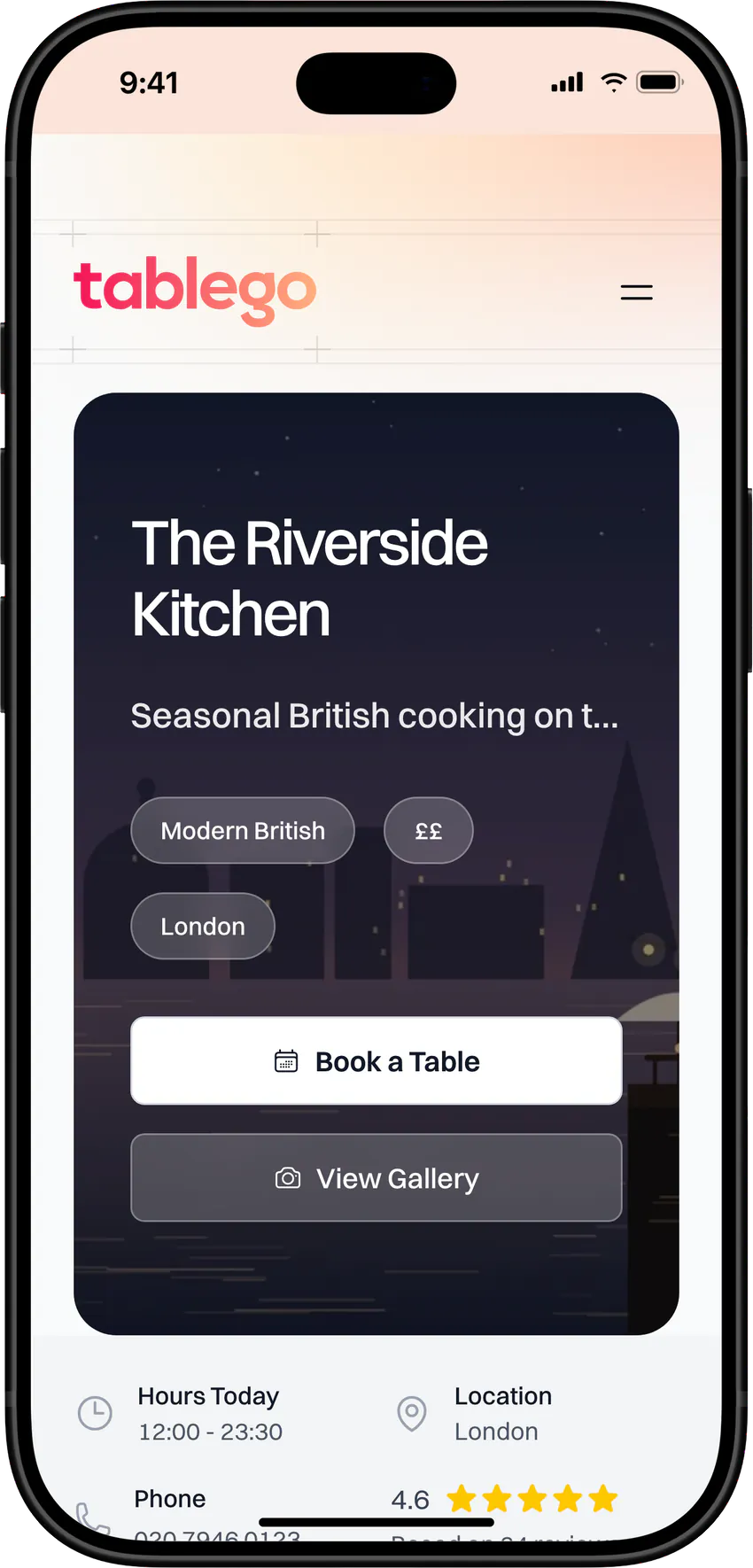
Add the TableGo booking widget to your website, share your booking link anywhere, or send guests to your own TableGo page. Guests see live times for their party, choose an experience or a seating area, and book in a few taps. Every booking lands straight in your diary.
- Basic is free forever
- No credit card required
Your website · Booking link · TableGo page · QR flyers
Why venues switch it on
Built to turn visitors into bookings
Live times, no back-and-forth
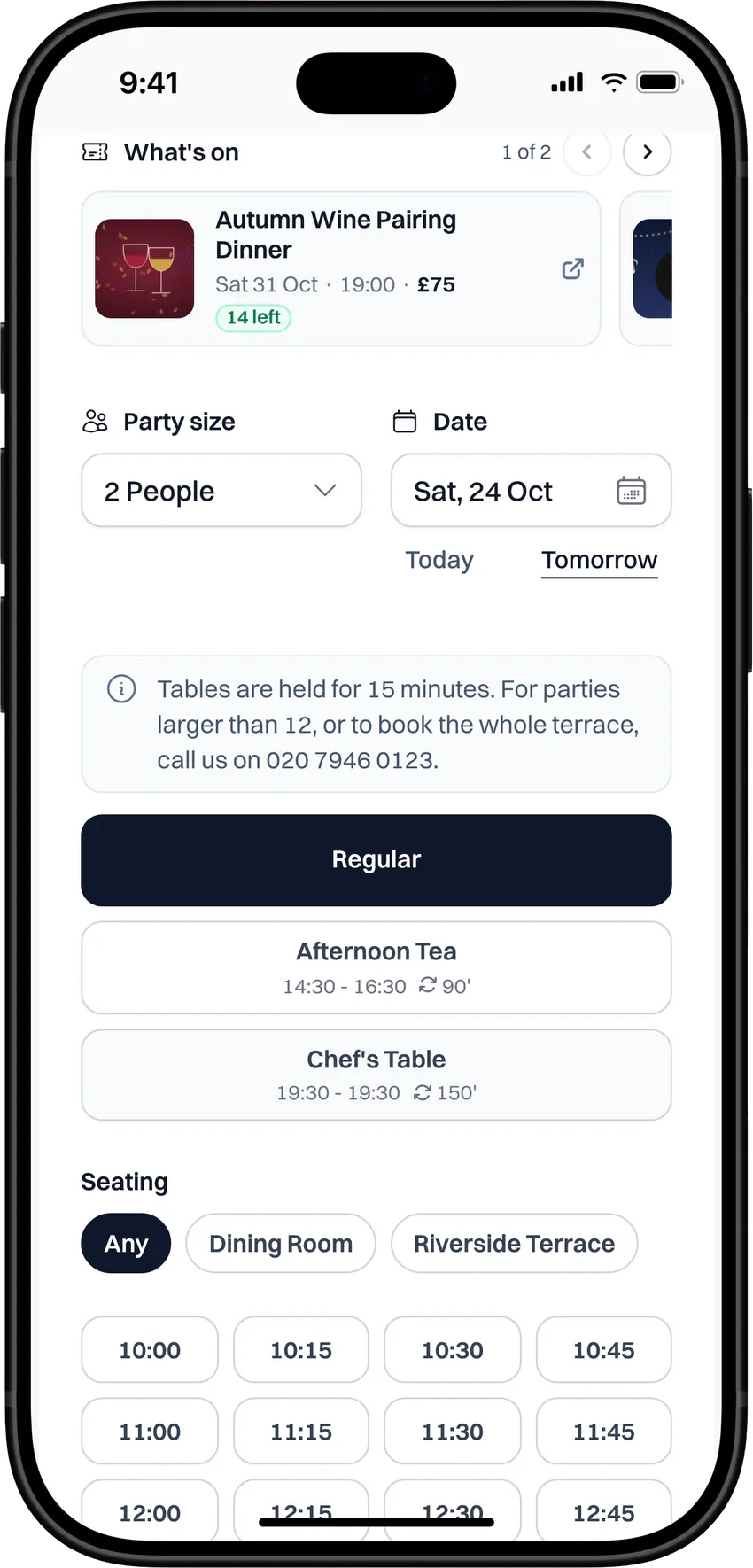
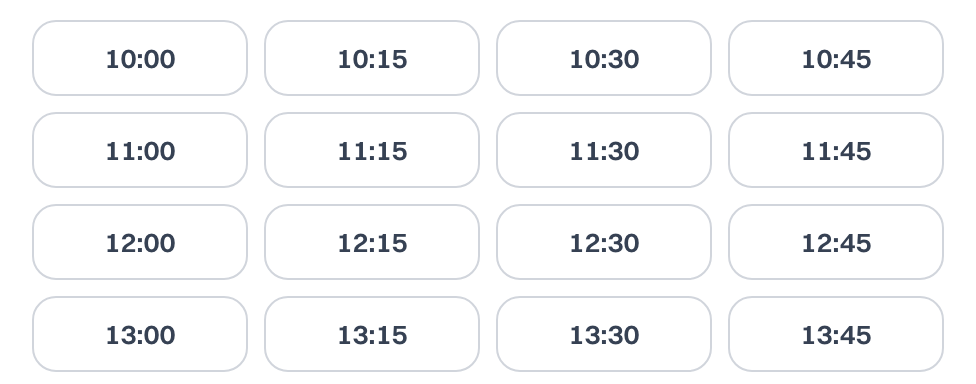
Guests pick a party size and date and see only the times you can seat, worked out from your hours, tables and bookings.
See what online booking brings in
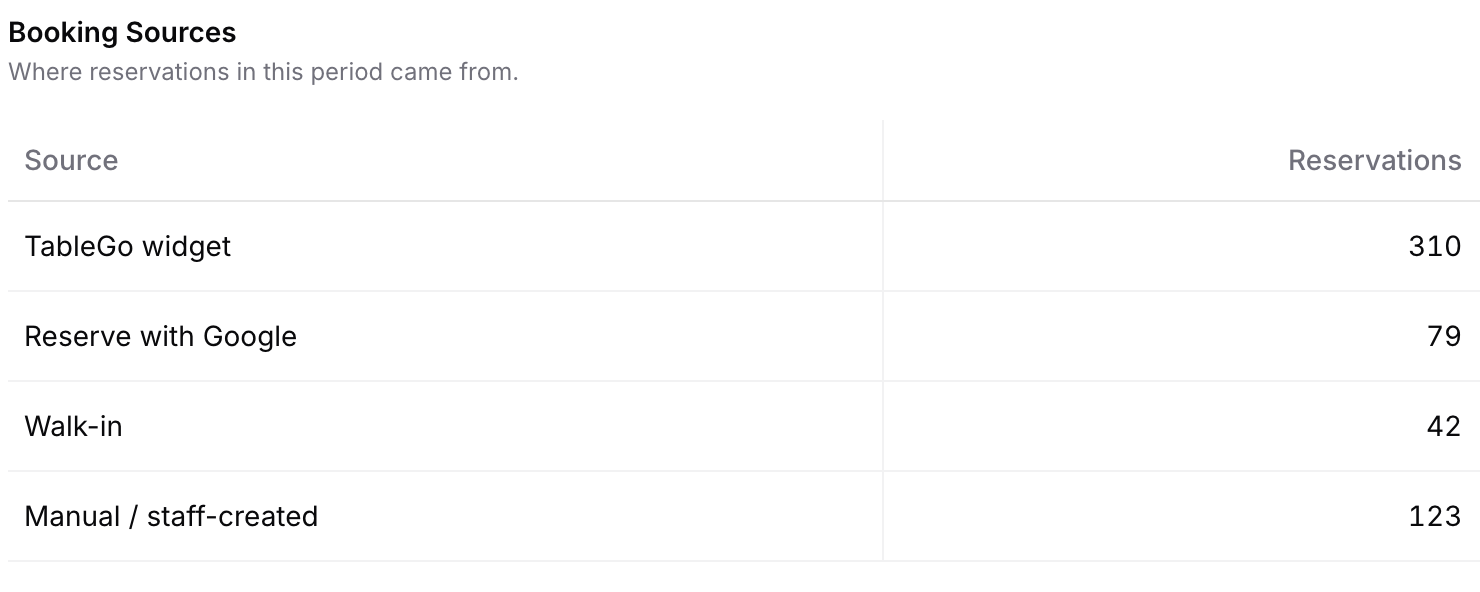
Reports splits every booking by source: your TableGo widget (wherever you share it), Reserve with Google, walk-ins and bookings your team adds.
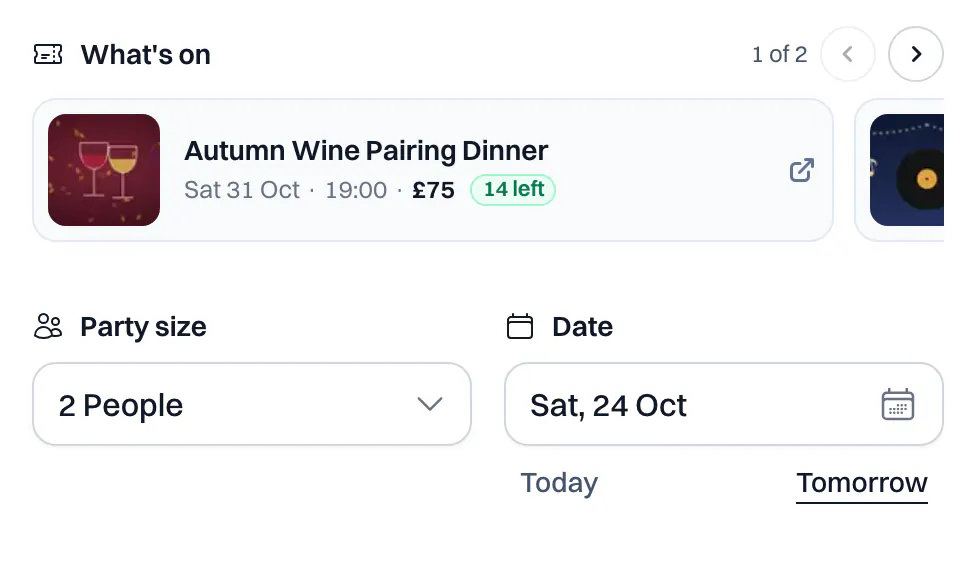
What's on, right where they book
Feature up to three events at the top of your widget, so guests spot your wine dinner or music night while they choose a table.
A booking page, even without a website
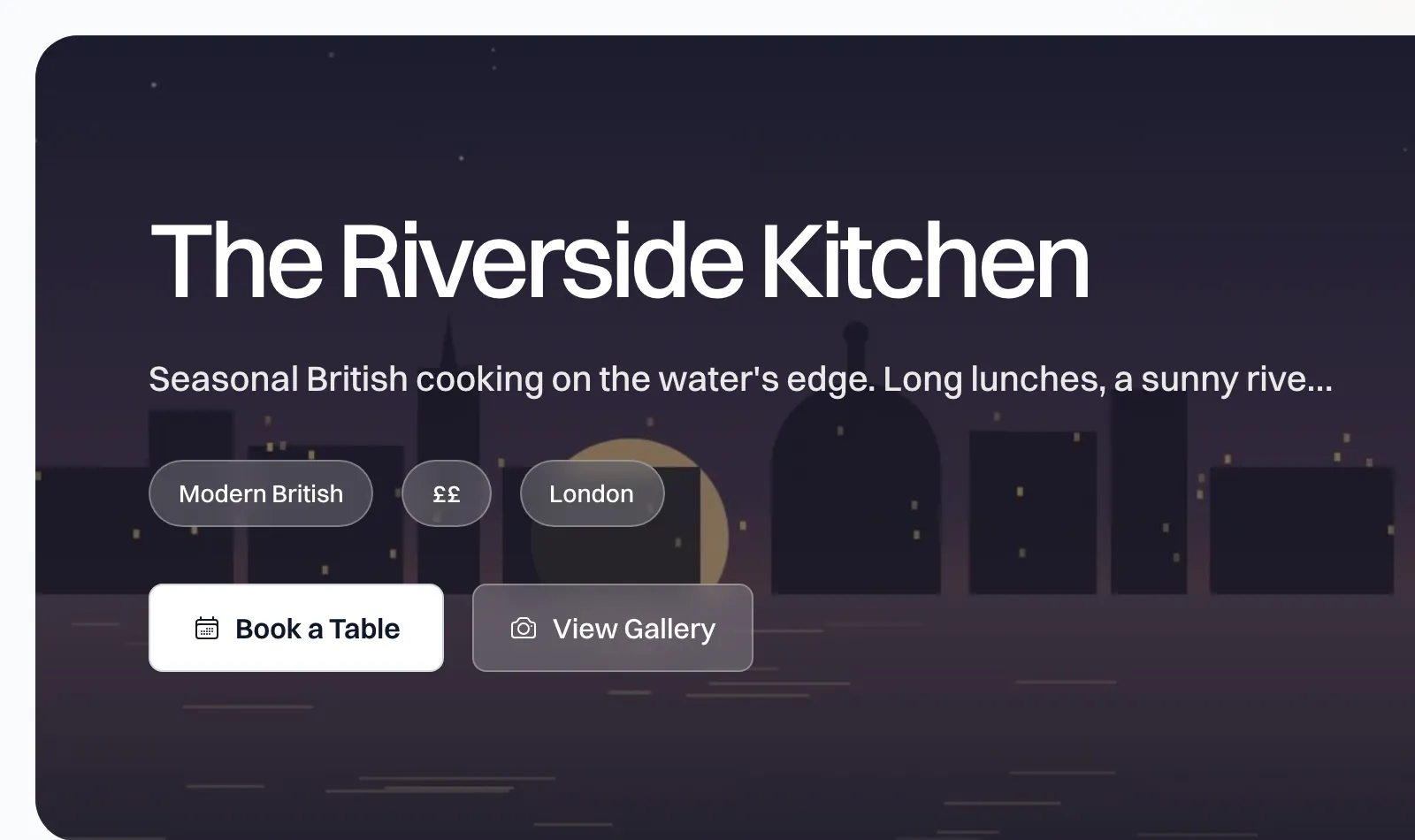
Your TableGo page brings your photos, menus, events, vouchers and reviews together, with booking built in.
Fits how you serve
Show guests exactly what you offer
The widget follows your setup, so guests book the right experience, in the right area, on the right terms.
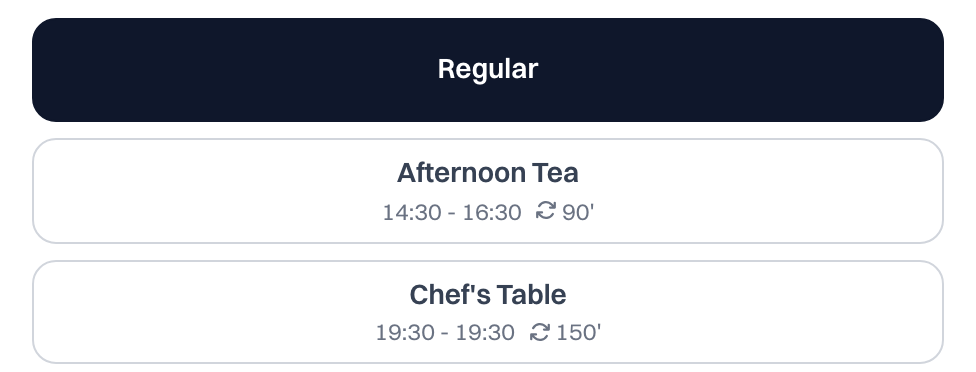
Experiences as options
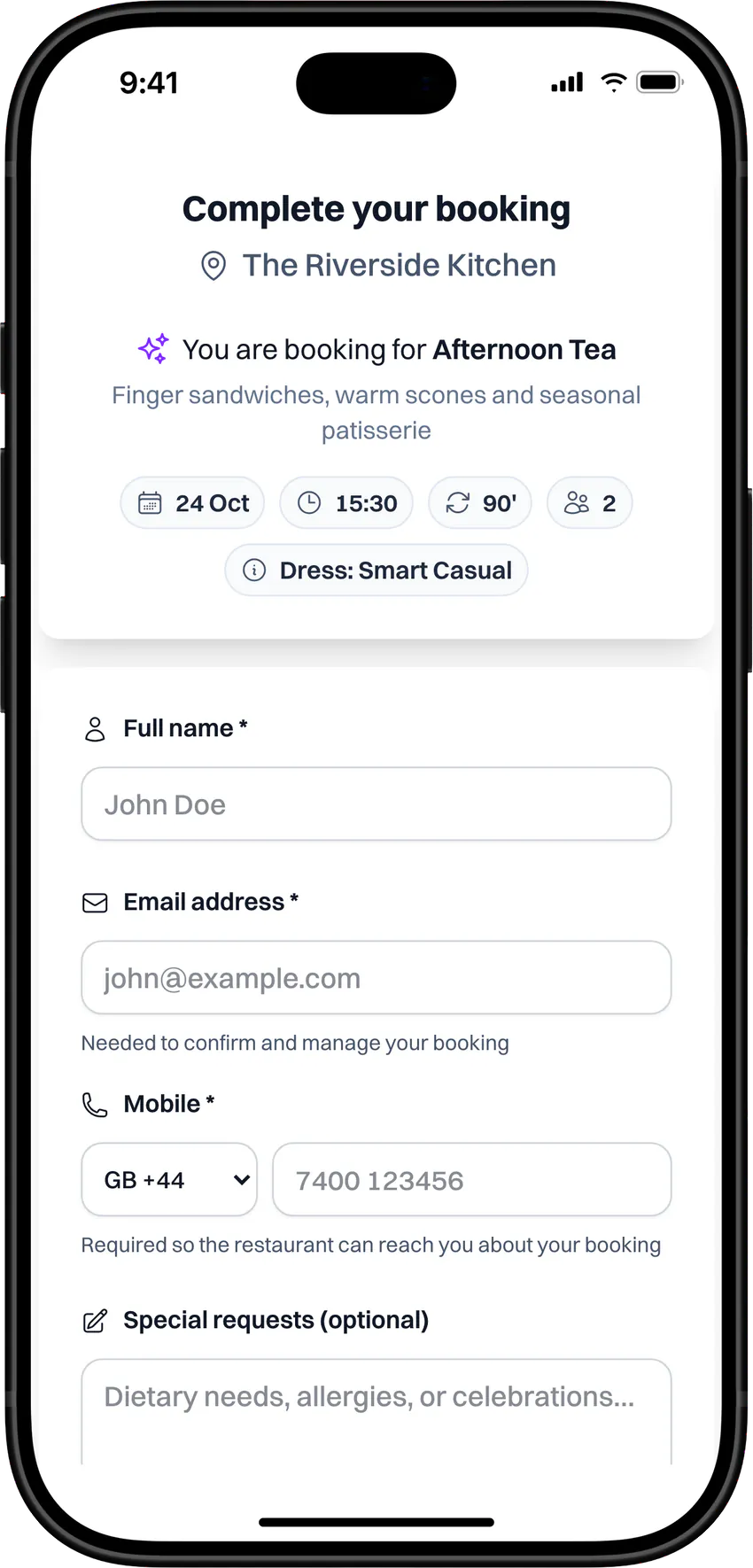
Afternoon tea, brunch or a chef's table sit next to regular dining, each with its own times and length.
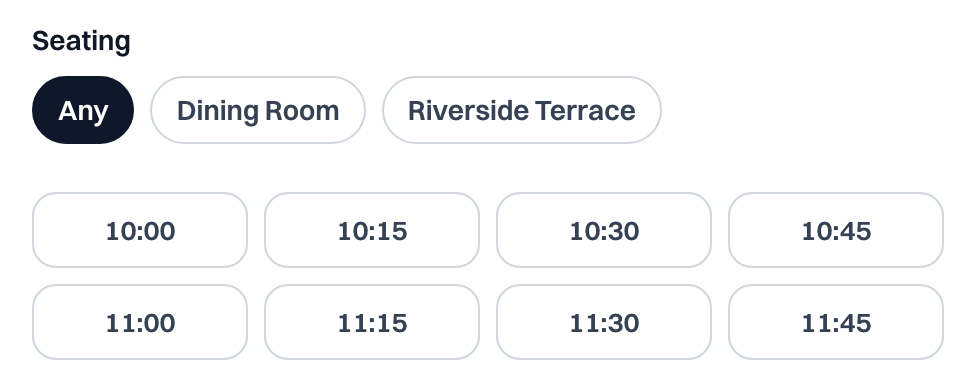
Guests pick where they sit
Let guests choose an area such as the terrace, or leave it to you with Any.
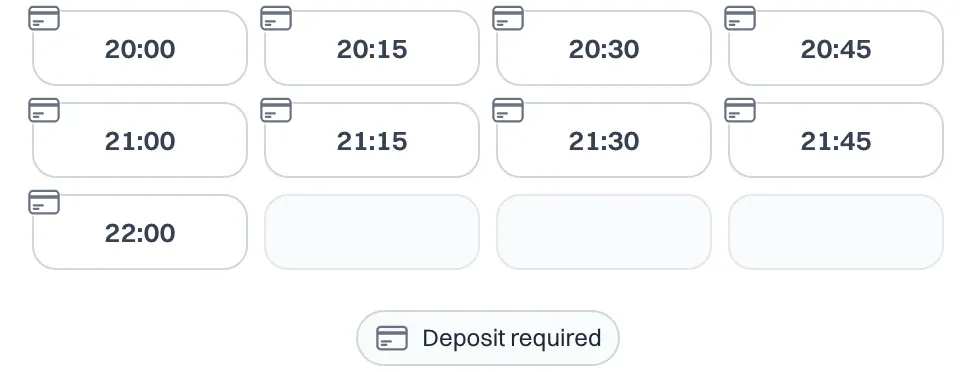
Deposits where they matter
Times that need a deposit or card guarantee Pro are marked before guests choose, with the terms shown before they book.
Wherever guests find you
One booking flow, everywhere you share it
- Your website
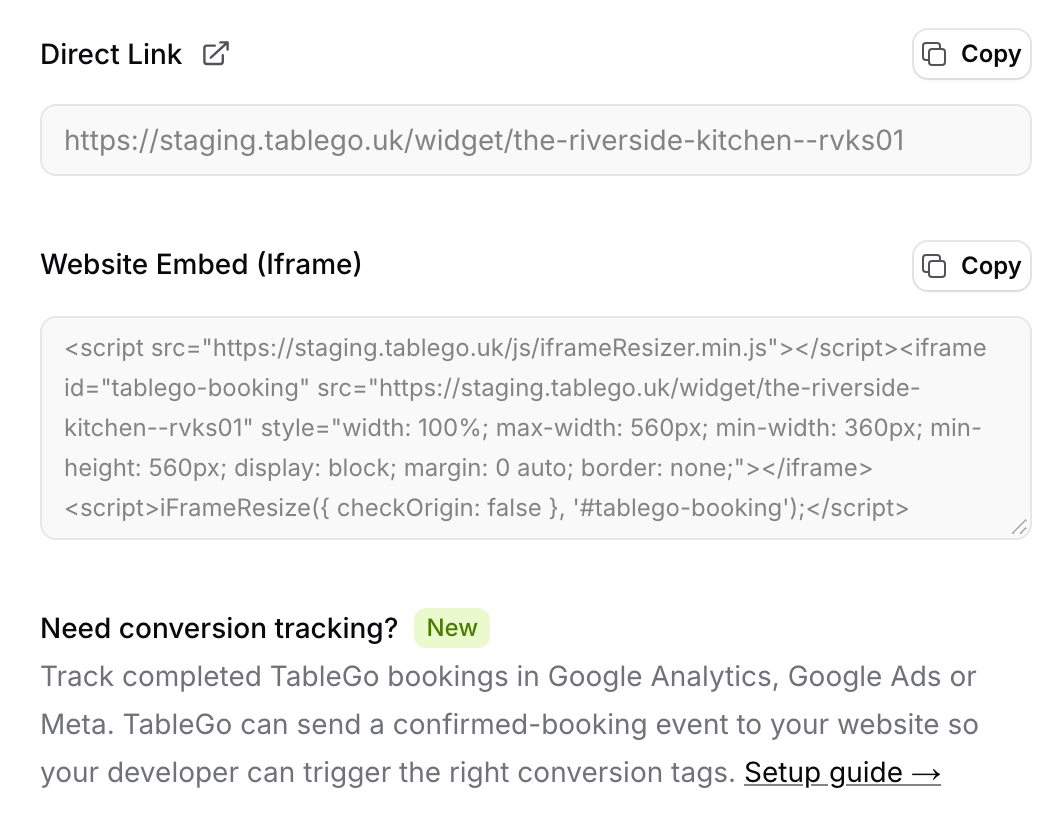
- Paste the Website Embed code once. The widget fits your page and resizes itself as guests move through it.
- Your booking link
- Share your Direct Link on Instagram, Facebook, your Google Business Profile or in emails.
- Your TableGo page
- Photos, menus, events, vouchers and reviews on tablego.uk, with booking built in. The white-label version Pro leaves out TableGo's header and footer.
- QR code flyers
- Print A4, A5 or A6 flyers, portrait or landscape, that open your TableGo page. Made for table tents and posters.
- Conversion tracking
- On your own site, the widget tells your page when a booking is confirmed, so Google Analytics, Google Ads or Meta can count it. Your web developer adds the tags.
Gift voucher and events widgets embed the same way. Everything is in Settings → Website & Integrations, for Owners and Managers.
How it works
Copy, paste, take bookings
- 1
Add it where guests look
In Settings → Website & Integrations, copy your Direct Link or the Website Embed code. Add the widget to your site and the link to your social profiles and emails.
- 2
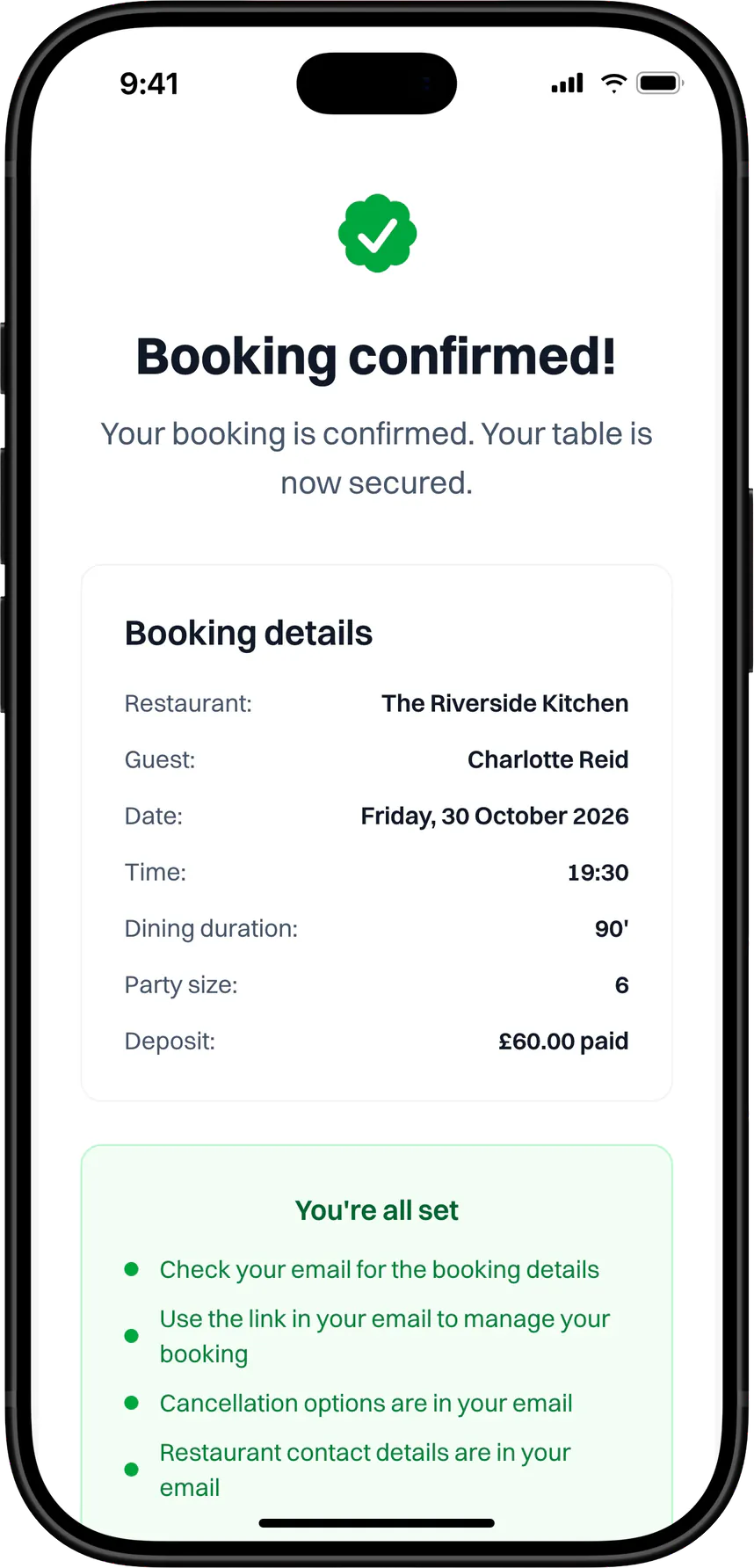
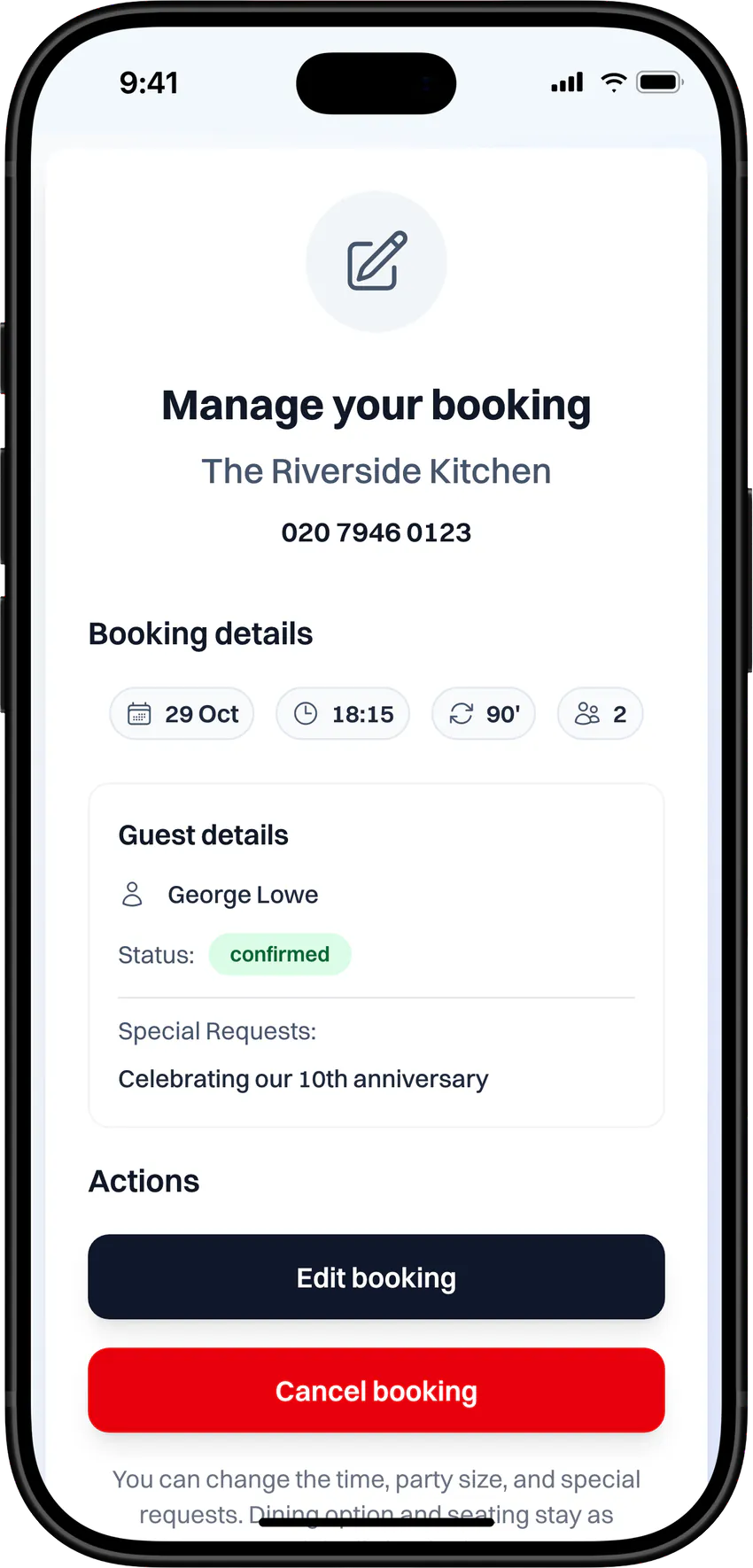
Guests book and manage it themselves
Guests see their confirmation straight away and get an email with a Manage booking button, so they can change or cancel up to your cutoff without calling.
- 3
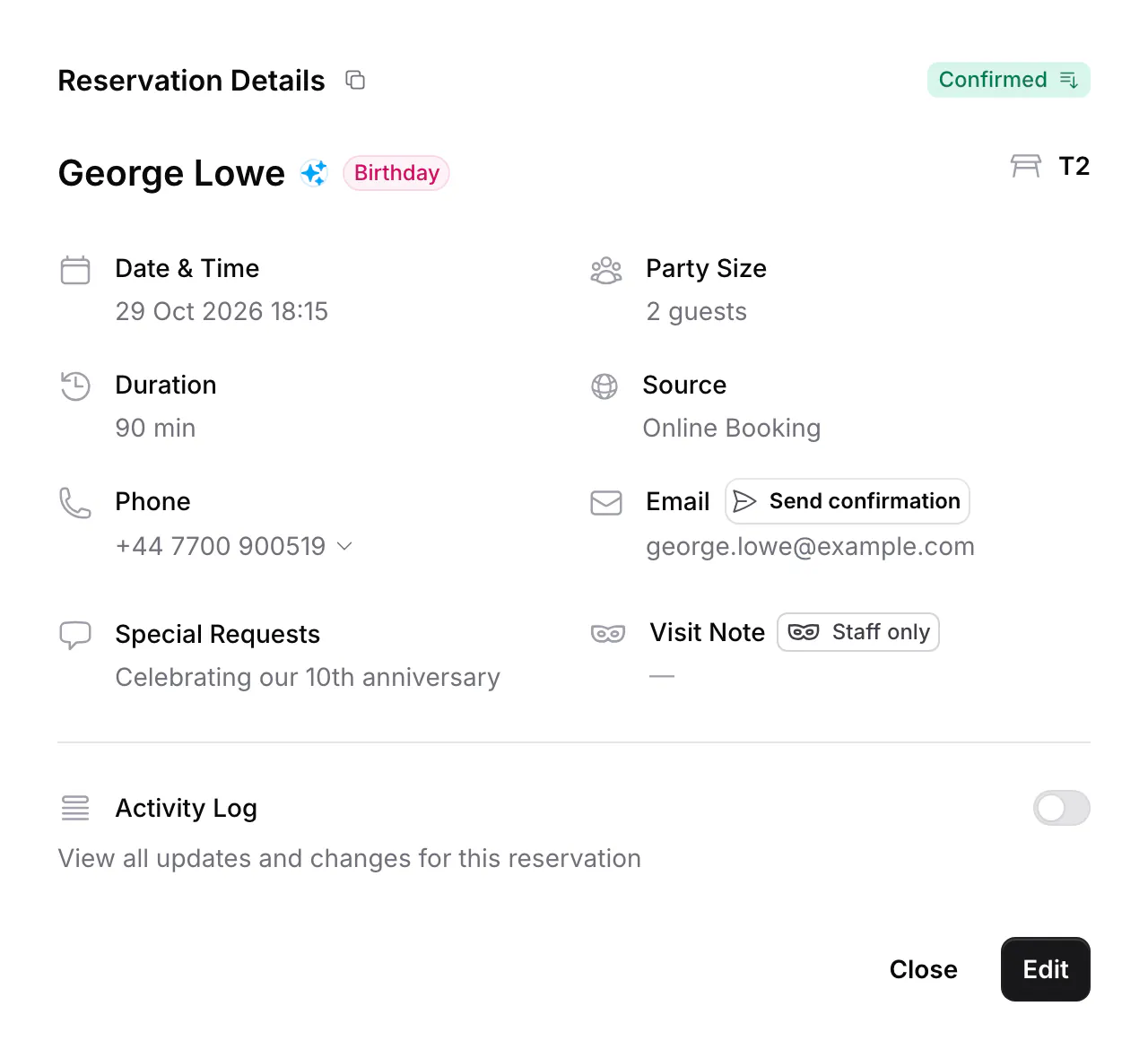
Bookings land in your diary
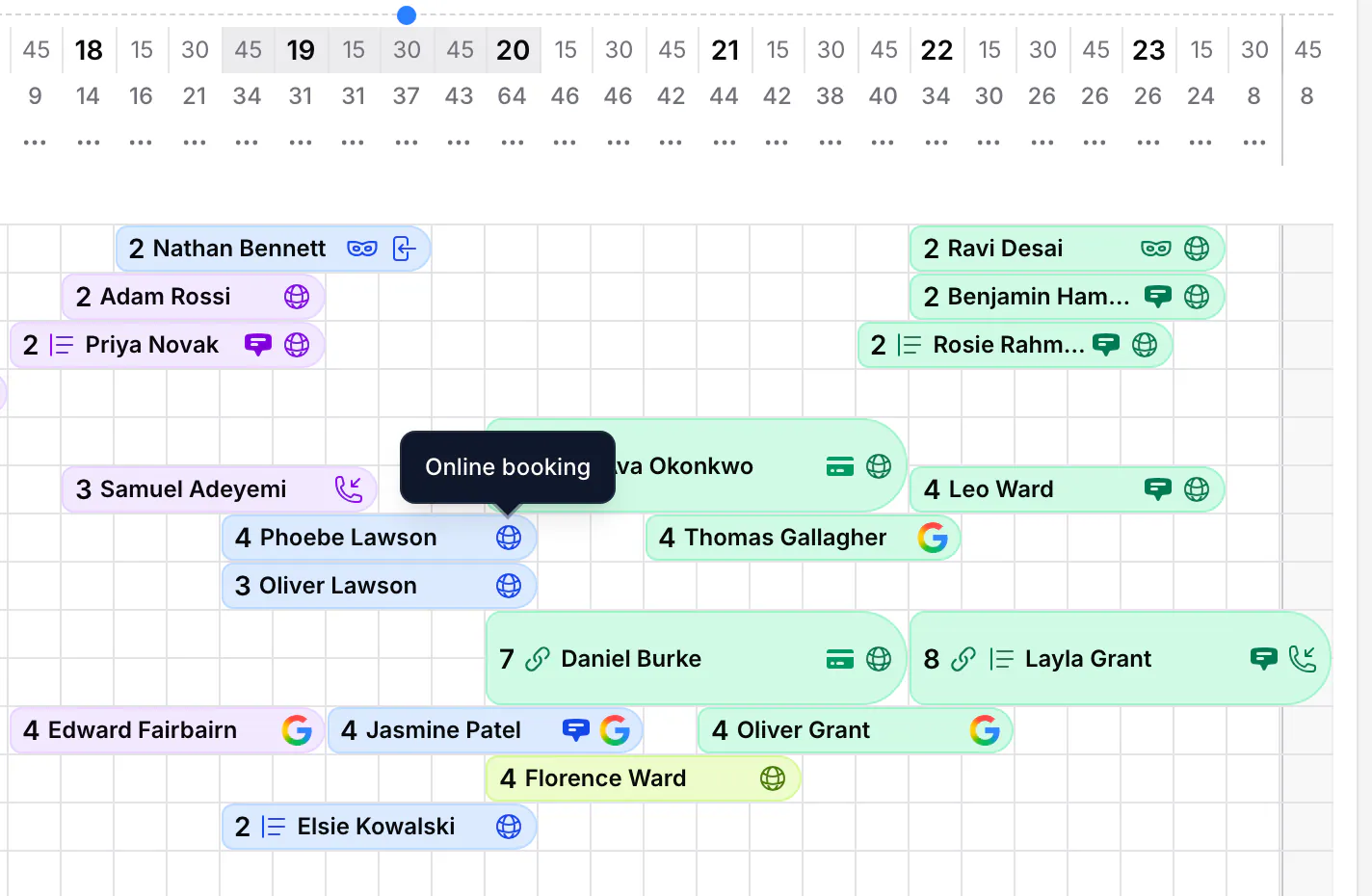
Online bookings appear in your diary straight away, marked Online Booking, with the guest's contact details and special requests.
Plans and access
What you need
- Plans
- The widget, booking link, TableGo page and QR flyers are on every plan. The white-label venue page, without TableGo's header and footer, is Pro.
- Who sets it up
- Owners and Managers, in Settings → Website & Integrations.
- Pausing online bookings
- Switch off Accept Online Reservations in Reservation Policies and add an optional message for guests.
- Experiences
- Set up in Settings → Service Periods.
- Seating areas
- Tables mode Pro, with Guest Seating set to Optional or Required and your areas marked as guest-selectable.
- What's on
- Public events you choose to Feature in booking widget. Up to three show, soonest first.
- Deposits and card guarantees
- A connected Stripe account that can take payments. Card guarantees are a Pro feature.
- Guest changes
- Allowed up to your Guest Edit/Cancellation Cutoff in Reservation Policies.
Questions venues ask
Do I need a website to take online bookings?
No. Share your booking link or your TableGo page wherever guests find you, and print QR flyers for the restaurant. If you have a website, add the widget there too.
Will the widget work on my website?
If your website lets you paste HTML, yes. Paste the Website Embed code where you want bookings and the widget sizes itself to fit. If your site can't take code, share your booking link or TableGo page instead.
Can I track bookings in Google Analytics, Google Ads or Meta?
Yes, when the widget is embedded on your website. It tells your page when a booking is confirmed, after any deposit is paid or card saved, so your conversion tags count real bookings. Your web developer adds the tags, following the setup guide in the Help Center.
Can guests change or cancel their booking?
Yes, from the Manage booking button in their confirmation email, up to your cutoff. Guests can change the time, party size or requests once. Bookings with a deposit or card guarantee can be cancelled online but not changed.
What about large groups?
Guests choose from the party sizes you take online. When a group is bigger than you take online, the widget shows your phone number so they can call you.
Can I stop online bookings for a while?
Yes. Switch off Accept Online Reservations and add a short message, such as a refurbishment notice. Guests see your message instead of times, and can still cancel bookings they already have.
Can my page show without TableGo's branding?
Yes, on Pro. The white-label venue page is your TableGo page without TableGo's header and footer. Copy its link from Settings → Website & Integrations. To send visitors from your own domain there, set up forwarding to that link at your domain registrar.
Start taking bookings online
Share your booking link today, then add the widget to your website when you're ready.
- Basic is free forever
- No credit card required