Reports
See what fills your tables, and what empties them
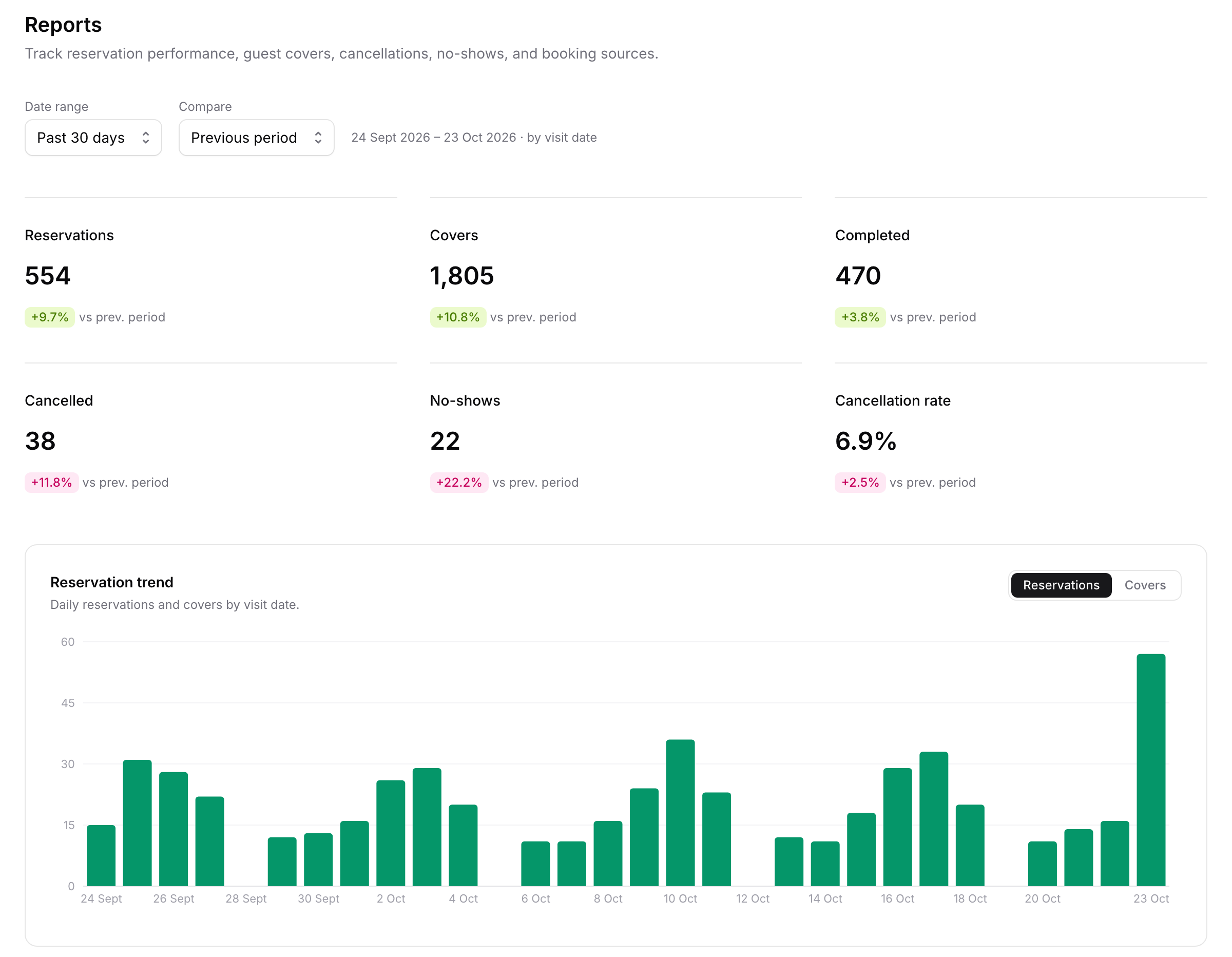
Reports shows reservations, covers, completed visits, cancellations, no-shows and where your bookings come from, by the day guests visit. On Pro, put every number side by side with the period before, look back 90 days or any range, and see how far ahead each party size books.
- Basic is free forever
- No credit card required
Reservations · Covers · No-shows · Booking sources · Lead time
Why venues use it
The numbers that matter, without a spreadsheet
Every key number in one view
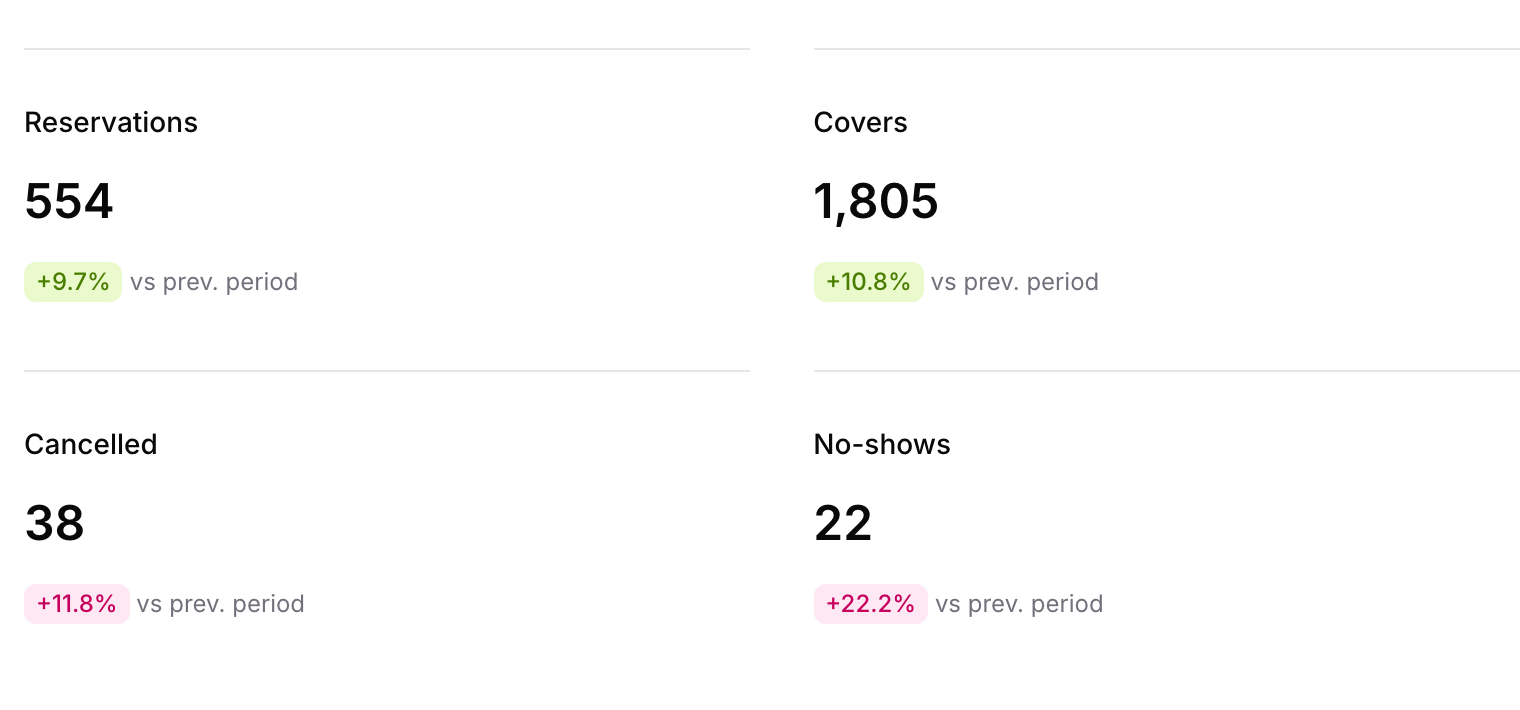
Reservations, covers, completed visits, cancellations, no-shows and your cancellation rate. On Pro, each one shows its change on the period before.
Spot your busy and quiet days
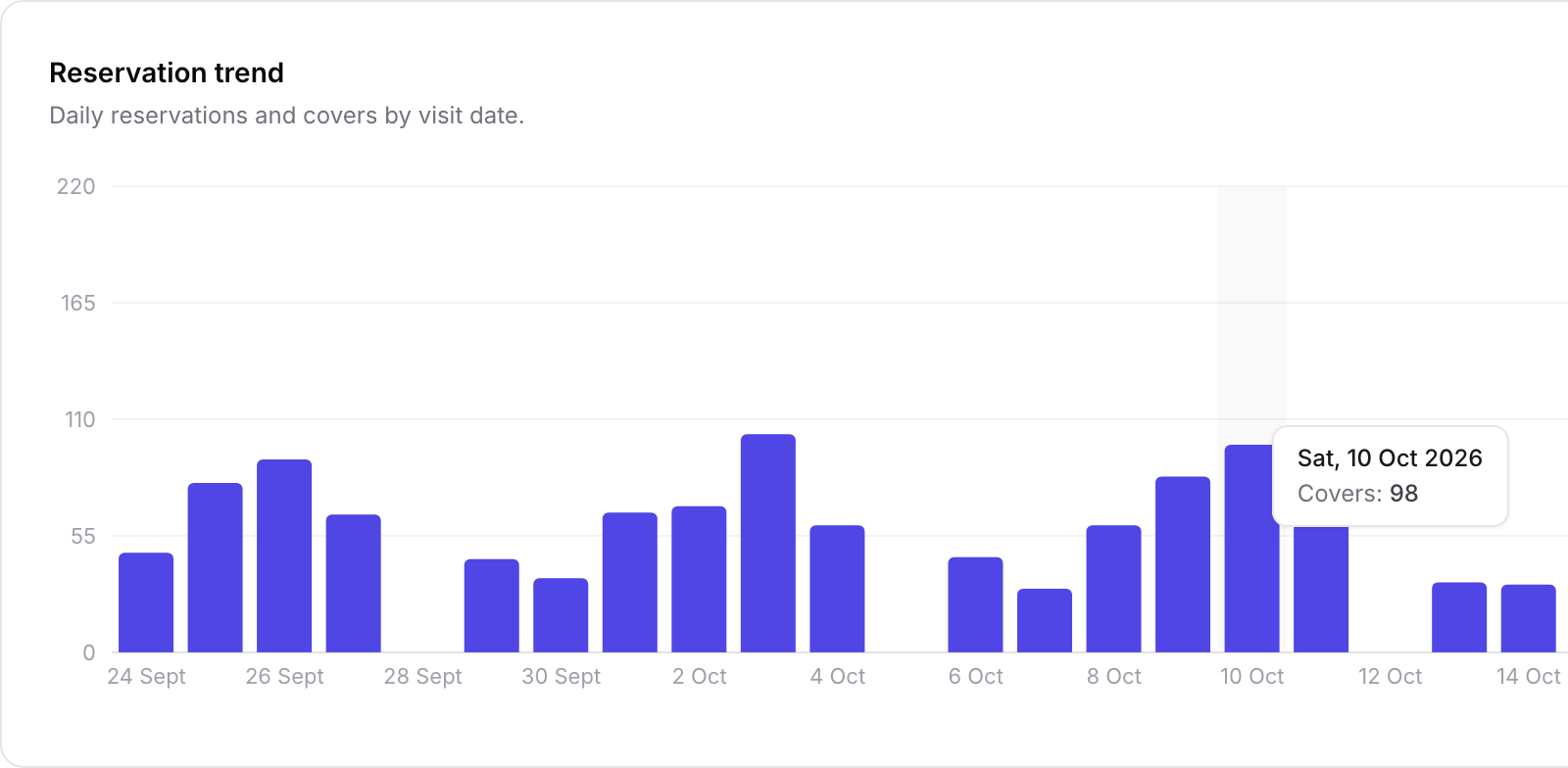
The trend shows reservations or covers day by day, and week by week over the longer ranges on Pro. Hover a bar for that day's total.
Know where bookings come from
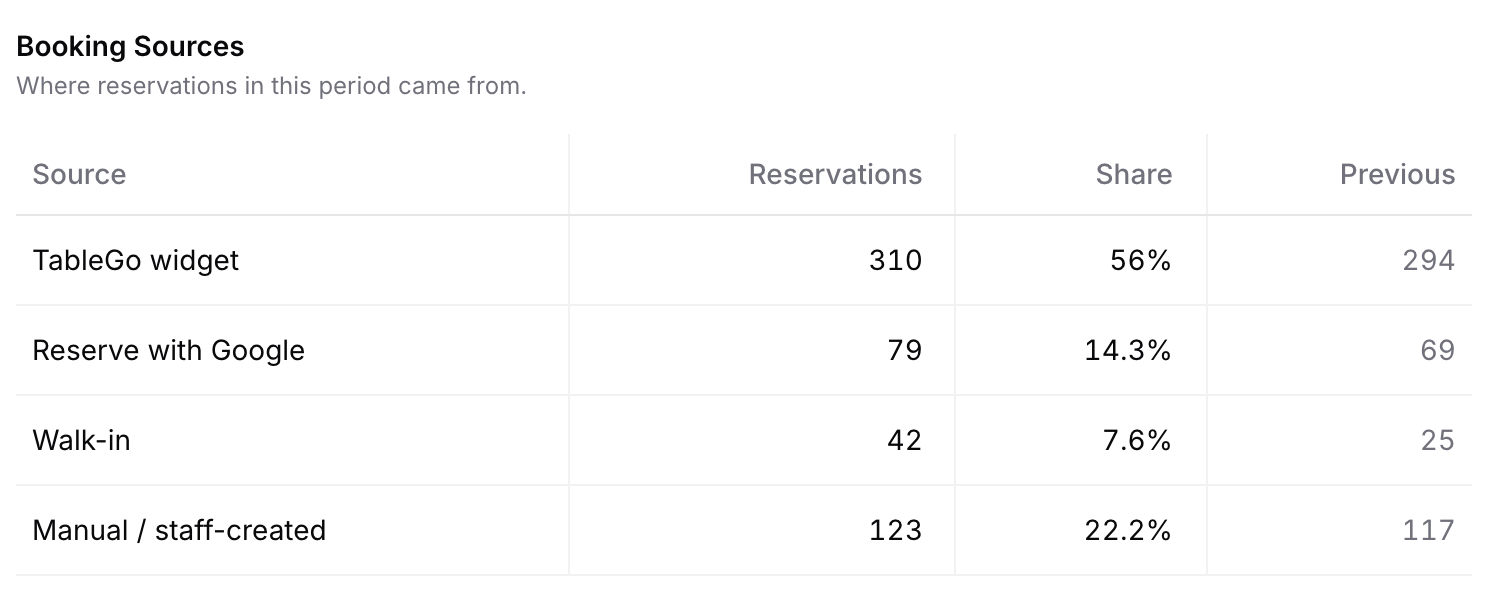
See how many bookings came through your TableGo widget, Reserve with Google, walk-ins and your team, with each one's share.
See how far ahead guests book Pro
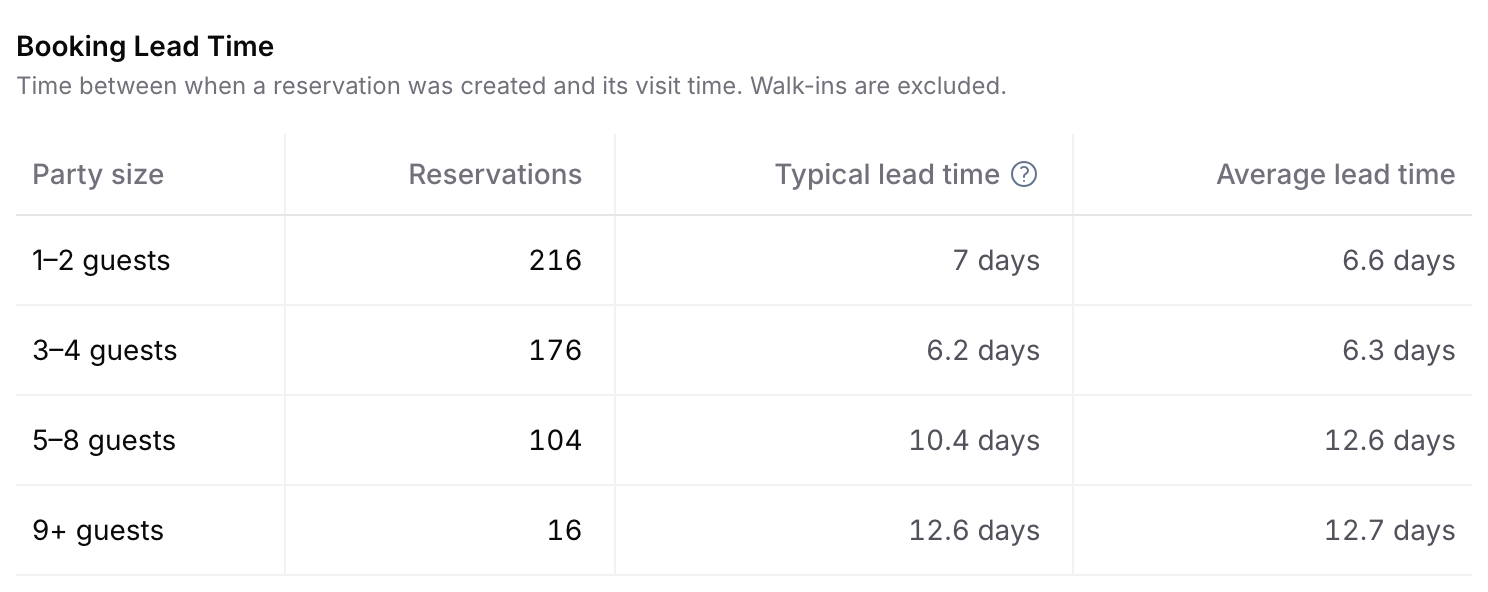
Typical and average lead time for each party size, so you know when your bigger tables fill.
Beyond Reports
Money and sales figures, where you work
Payments, vouchers and event tickets keep their own figures next to the feature they come from, ready to filter and export.
Payment Activity
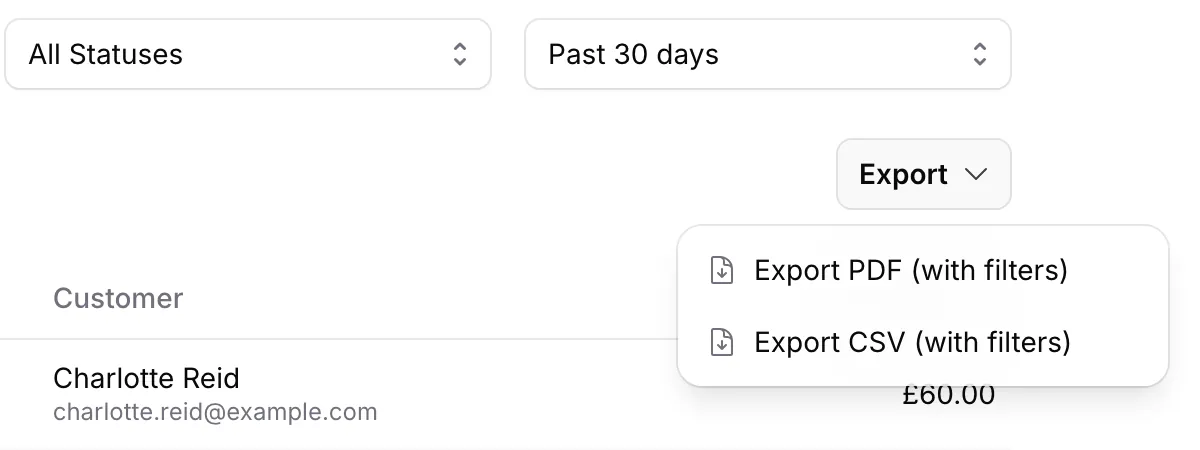
Every deposit, event ticket, voucher sale and card guarantee fee in one list. Filter by type, status and date, then export the list as PDF or CSV.
Gift voucher orders
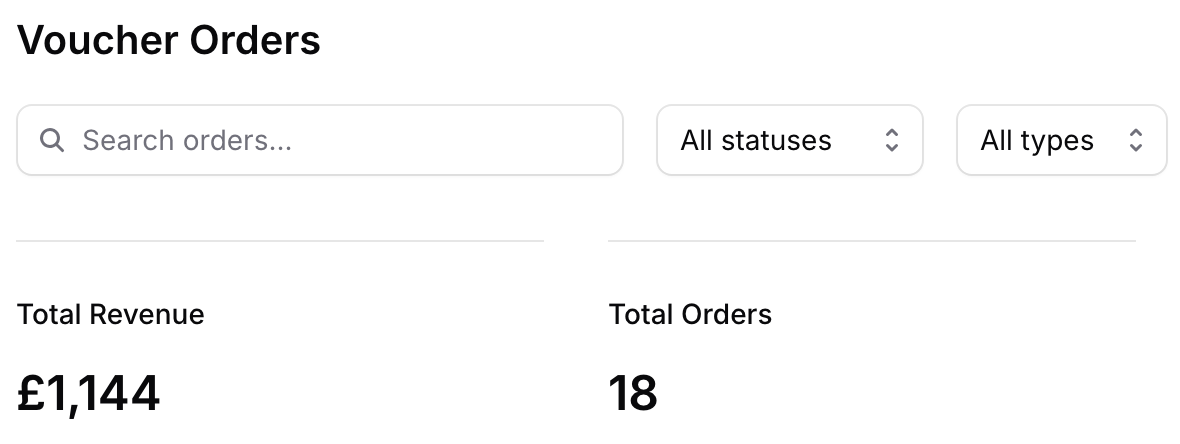
Total revenue and orders, plus how many vouchers are redeemed or still to be used, above the list of every order.
Event overview
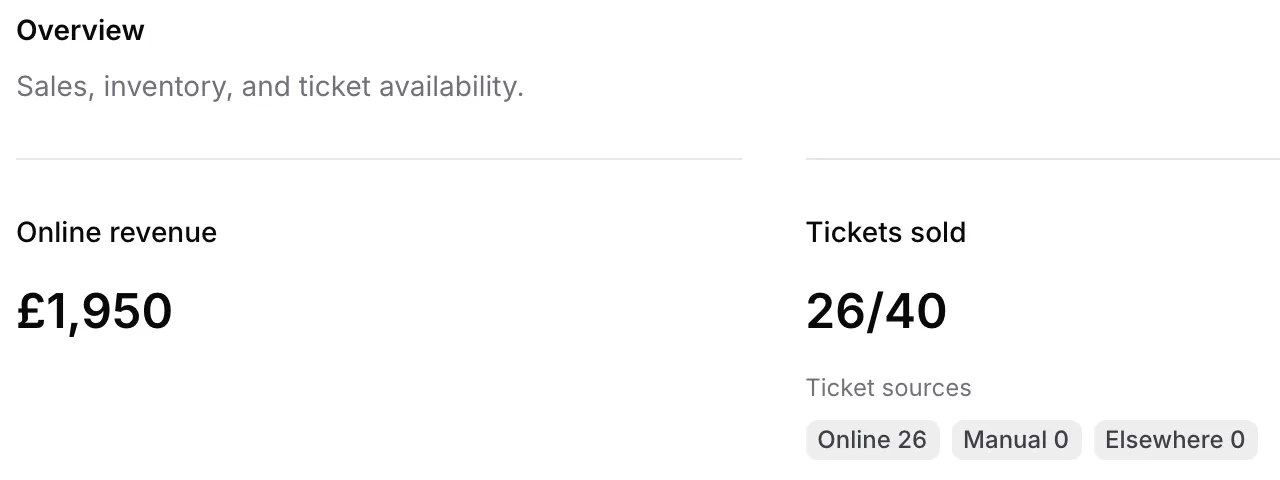
Online revenue, tickets sold against capacity and tickets remaining for each event, with where its tickets were sold.
Numbers you can trust
Counted the same way, every time
By visit date
Every figure counts bookings by the day guests visit, not the day they booked.
Covers that came
Covers leave out cancelled bookings and no-shows, so they reflect the guests you served or expect.
Like-for-like comparisons Pro
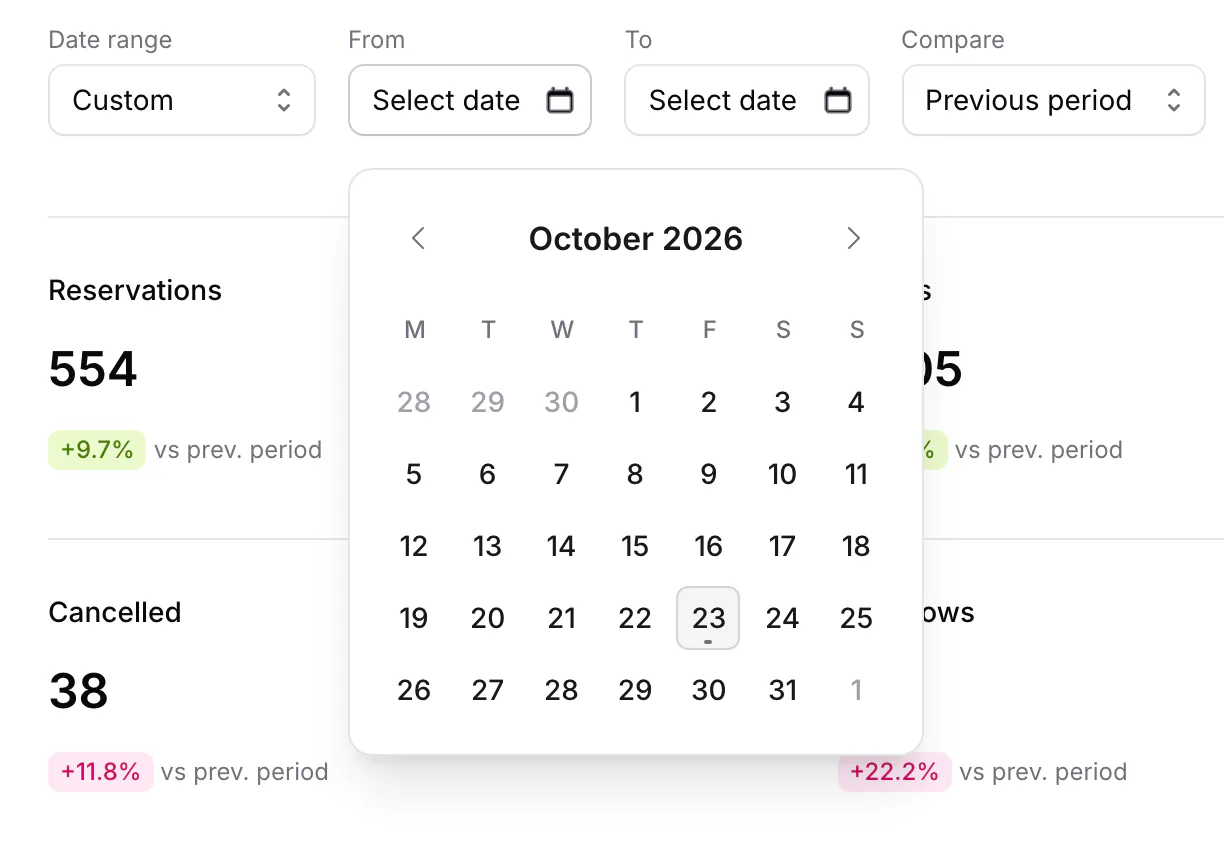
The previous period is the same length, immediately before your range. Switch Compare off for a clean view.
Enough data to mean something
Lead time leaves out walk-ins and shows Insufficient data for a party size with fewer than five bookings.
How it works
From a date range to a decision
- 1
Choose your period
Pick the past 7, 14 or 30 days. On Pro, look back 90 days or set a custom range with the From and To dates.
- 2
Get the bookings behind a number
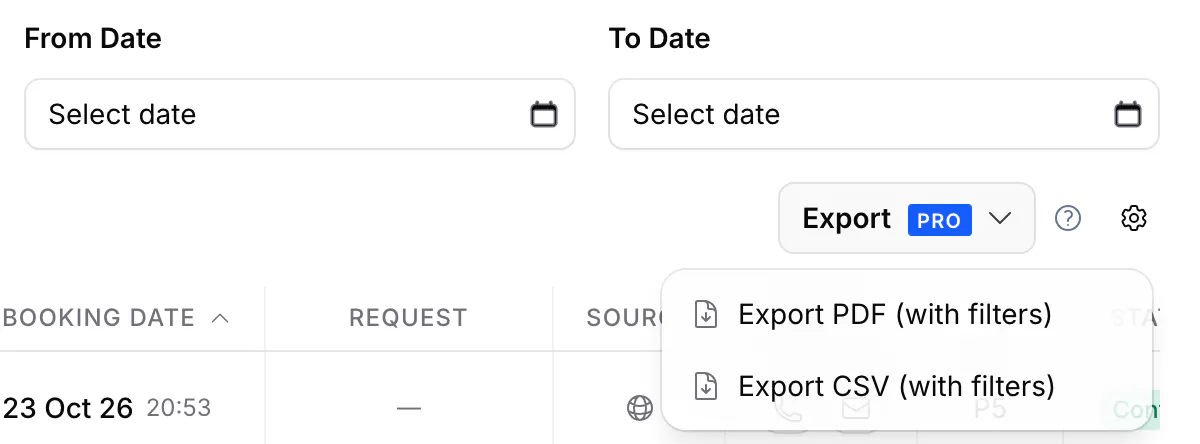
Open Reservations, filter by date or status, and export the bookings behind any figure as PDF or CSV Pro.
- 3
Act on what you see
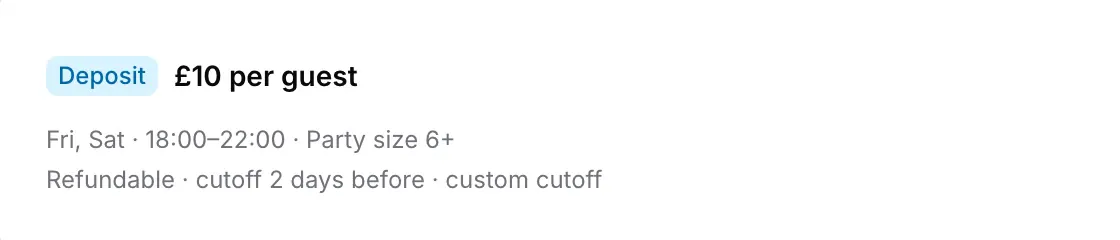
No-shows climbing on Friday nights? Add a deposit rule for those times. Big groups booking ten days out? Check your booking window reaches far enough.
Plans and access
Who sees what
- Plans
- Reports, the trend, booking sources and the status breakdown are on every plan. Booking lead time, the comparison with the previous period, and the 90-day and custom ranges are Pro.
- Reports
- Owners, Managers and Staff. Viewers don't see Reports.
- Payment Activity and Payouts
- Owners and Managers only.
- Date ranges
- Past 7, 14 or 30 days on every plan; 90 days or any custom range on Pro. Always by visit date.
- Exports
- Reservation and guest exports are Pro. Payment Activity exports as PDF or CSV.
Questions venues ask
What's in Reports?
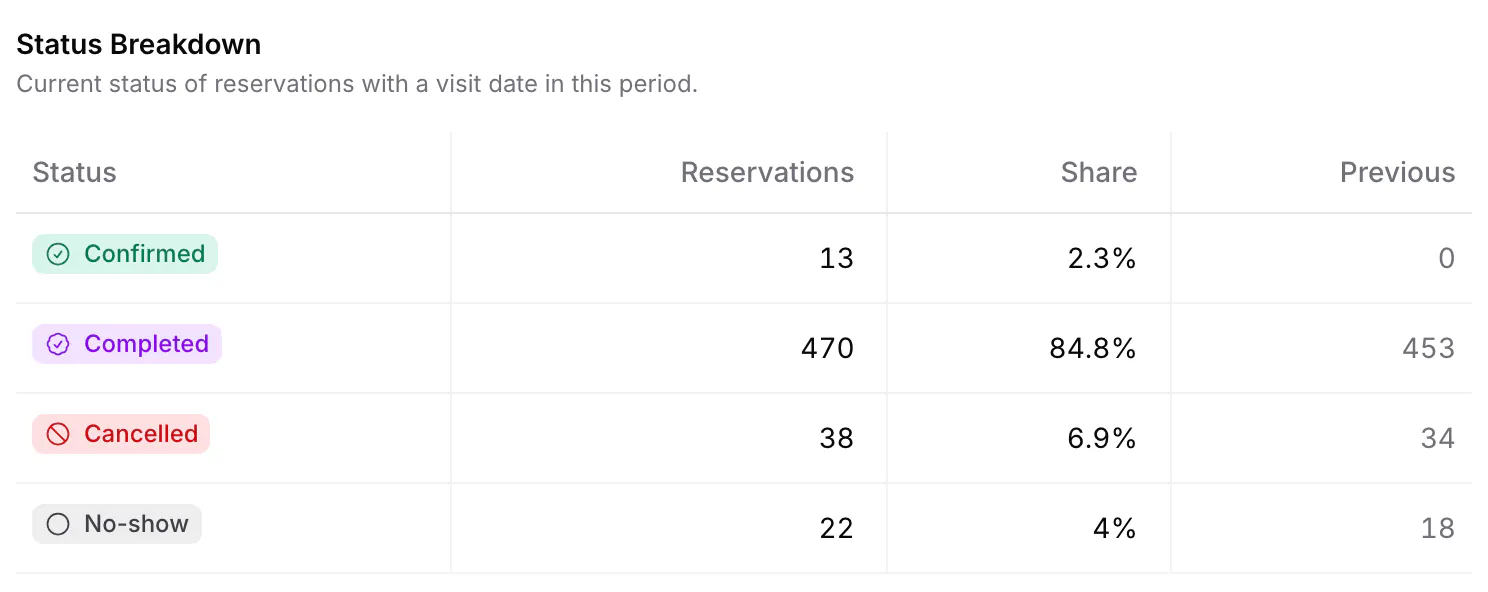
Reservations, covers, completed visits, cancellations, no-shows and cancellation rate, a reservation trend, booking sources, a status breakdown and booking lead time by party size.
Is Reports on every plan?
Yes. The summary numbers, the trend, booking sources and the status breakdown for the past 7, 14 or 30 days are on every plan. Pro adds booking lead time, comparison with the previous period, and 90-day and custom ranges.
Can I compare with the previous period?
Yes, on Pro. Compare puts each number against the same number of days just before your range, and you can switch it off for a clean view.
Does it show bookings from Reserve with Google?
Yes. Booking Sources splits bookings into TableGo widget, Reserve with Google, Walk-in and Manual / staff-created.
What does booking lead time tell me?
How far ahead each party size books: the typical (median) and average time from booking to visit. Walk-ins are left out. Lead time is part of Pro.
Can my staff see Reports?
Yes. Owners, Managers and Staff can open Reports. Viewers can't. Payment figures stay with Owners and Managers.
Can I export the numbers?
Reports is an on-screen view. For a spreadsheet, export the bookings behind it from Reservations (Pro), or payments from Payment Activity, as CSV or PDF.
Know how this month really went
Every booking you take feeds Reports, from your widget, Google and your team.
- Basic is free forever
- No credit card required