Reports shows how your bookings are going: how many reservations and covers you had, how many cancelled or didn't show, and where your bookings came from.
Where to find it
Owners, Managers and Staff can open Reports. Every figure counts bookings by visit date, not the date they were made.
Choose a period#
- Date range — Past 7 days, Past 14 days, Past 30 days (the default), Past 90 days or Custom. Ranges end today, in your venue's time zone.
- Compare — Previous period shows each figure against the same number of days just before.
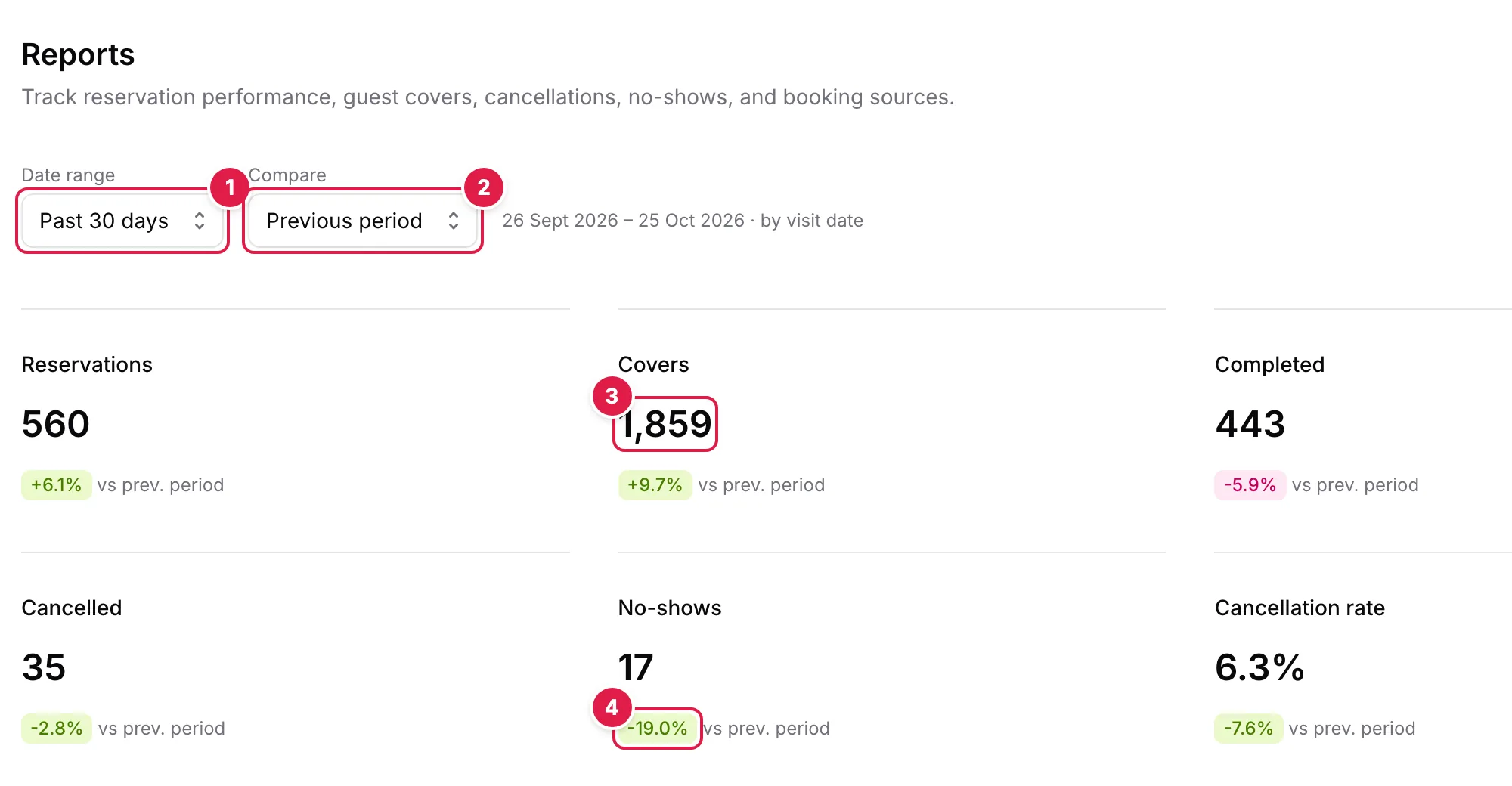
- Date range: Past 7, 14, 30 or 90 days, or Custom
- Compare: Previous period or Off
- Covers: guests booked, not counting cancellations and no-shows
- Change against the previous period: green means better
The headline figures#
- Reservations — every booking with a visit date in the period, whatever its status
- Covers — guests booked, not counting cancellations and no-shows
- Completed, Cancelled and No-shows — bookings with that status
- Cancellation rate — cancelled bookings as a share of all reservations
With Compare on, each figure shows its change against the previous period. Green means better, so a fall in cancellations or no-shows shows green.
Reservation trend#
Bars for each day, or for each week when the range is longer than 45 days. Switch between Reservations and Covers.
Booking sources#
Where the period's bookings came from: TableGo widget, Reserve with Google, Walk-in, and Manual / staff-created for the phone, email and other bookings your team adds.
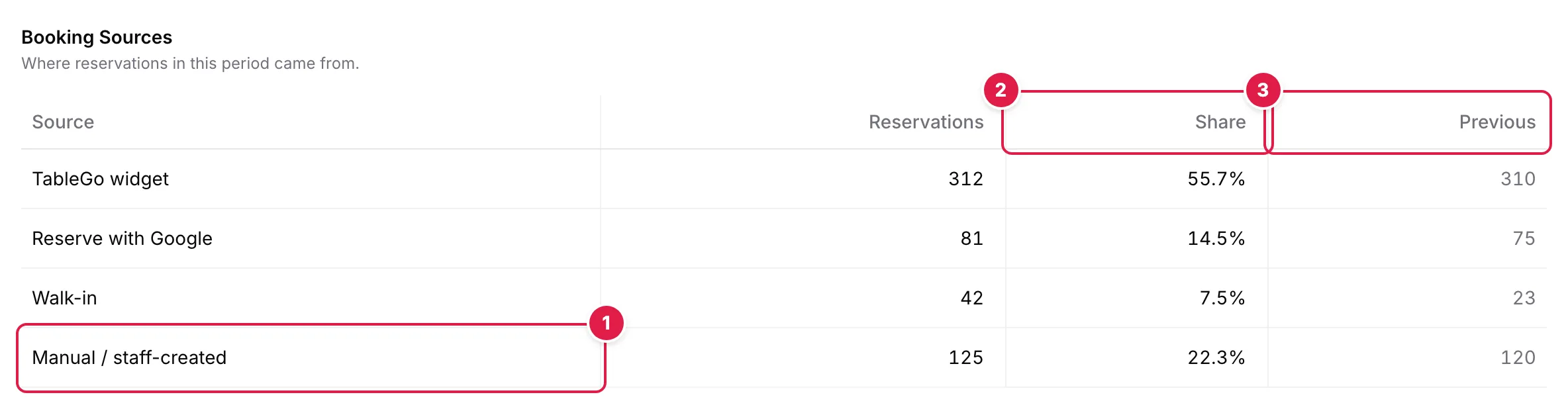
- Manual / staff-created: bookings your team adds
- Share of the period's reservations
- Previous: the same days just before (Compare on)
Status breakdown#
The current status of the period's bookings: Confirmed, Completed, Cancelled, No-show and, when there are any, Pending. Seated and Waiting bookings aren't listed, so the shares can add up to less than 100% during service.
Booking lead time#
How far ahead guests book, by party size (1–2, 3–4, 5–8 and 9+ guests), with the typical (median) and average lead time. Walk-ins aren't included, and a party size with fewer than 5 bookings shows Insufficient data.
Note
Tip