Deposits & card guarantees
Protect your busiest tables before the night begins
Take a deposit or save a card on the bookings that matter most, from Friday nights and big groups to set menus and chef's tables. Guests see exactly what's needed before they book, pay securely with Stripe, and your team sees it on every reservation.
- Basic is free forever
- No credit card required
Booking widget · Phone bookings · Reserve with Google Pro
Why venues switch it on
Protection where you need it, a normal booking everywhere else
Only where you need it
Set rules by day, date, time, party size or experience. Everyone else books exactly as before.

Clear before guests commit
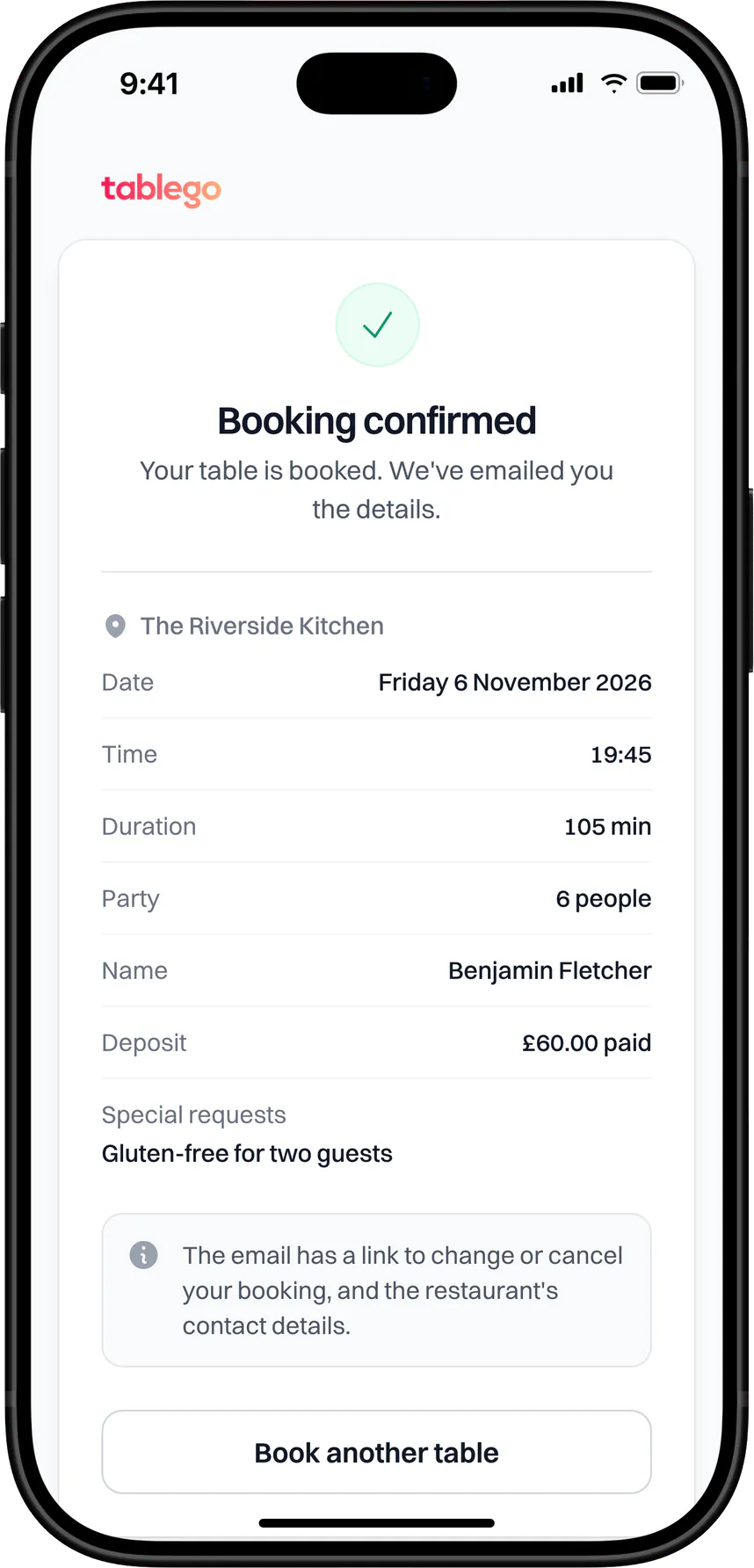
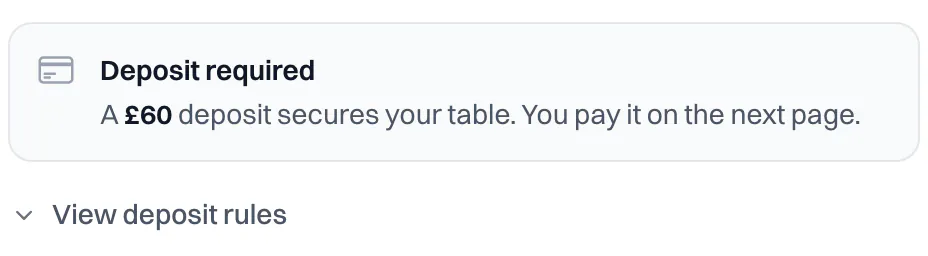
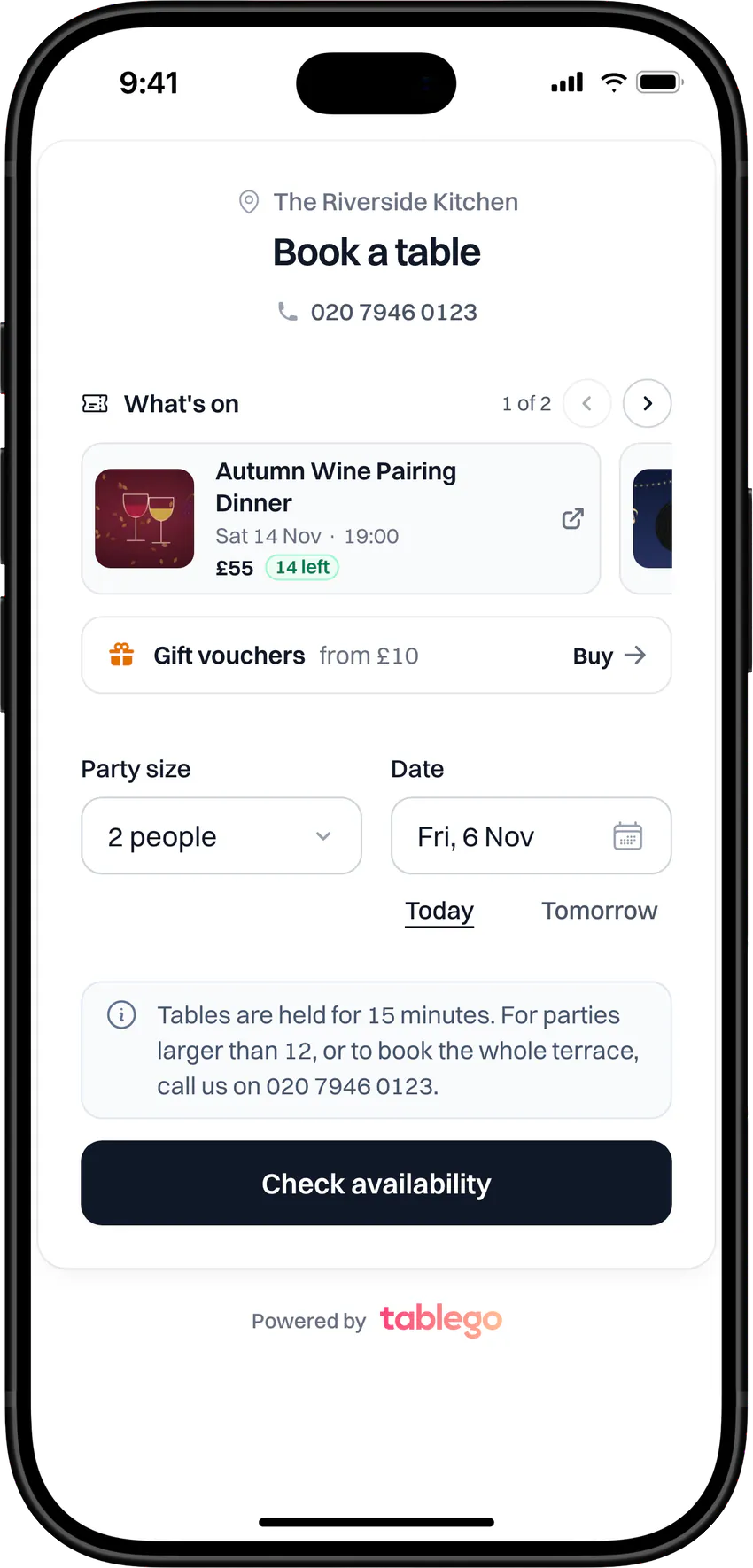
Protected times are marked in your booking widget, and the amount and refund terms appear before guests book.
Visible to your team
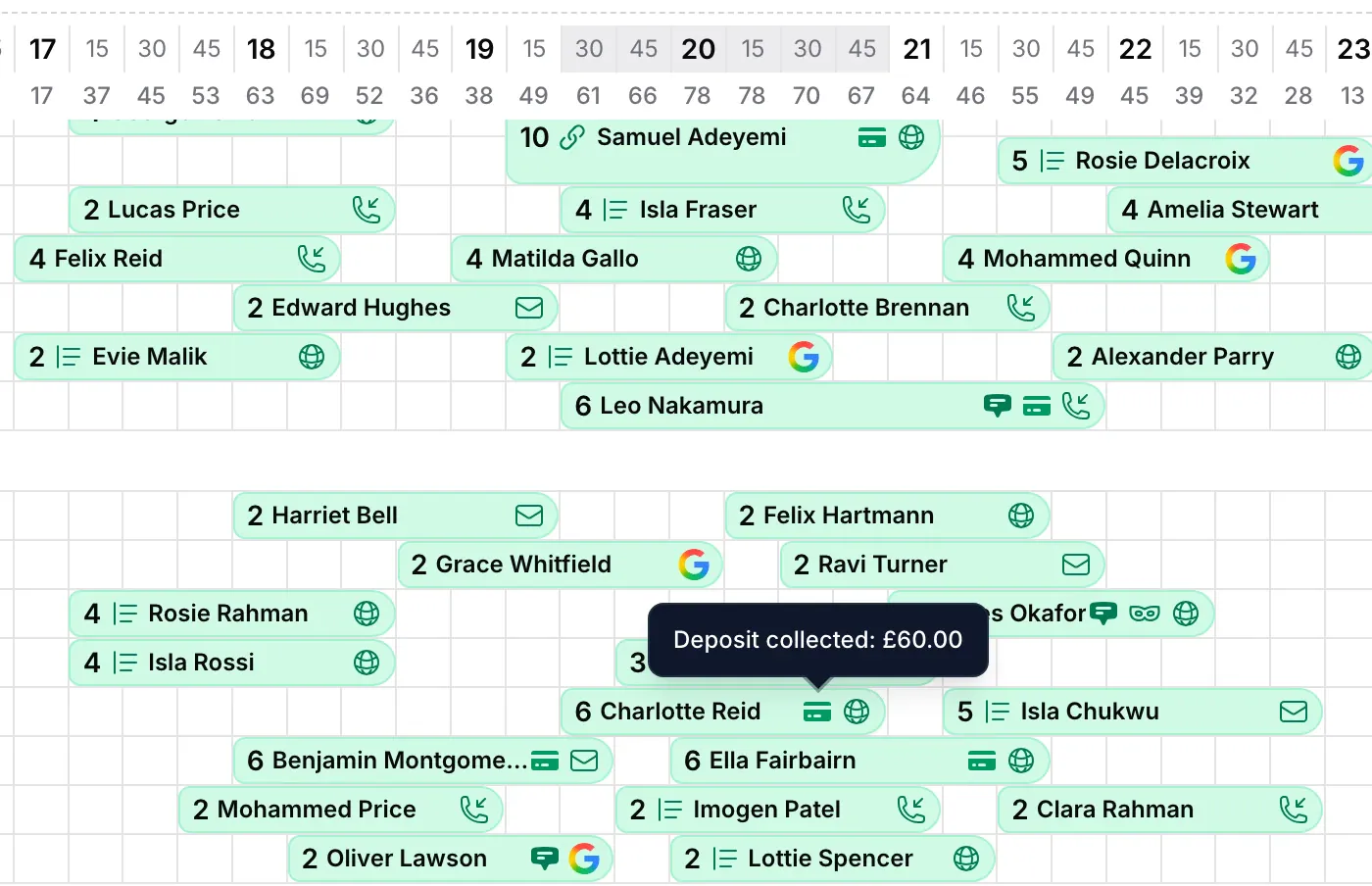
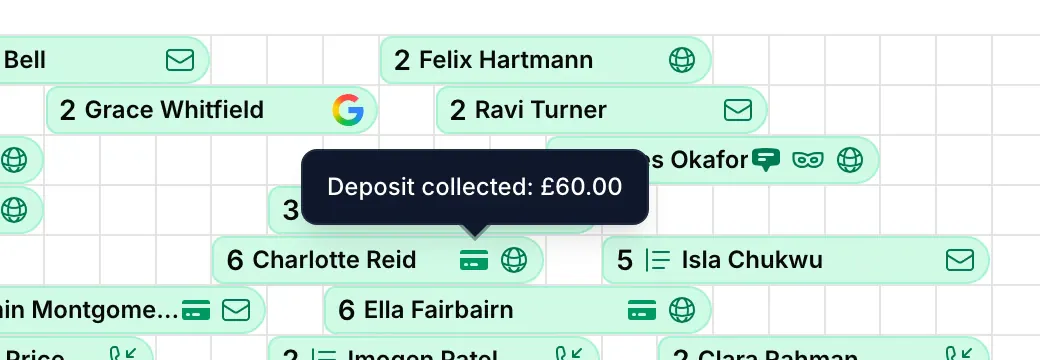
A card icon on the timeline shows who has paid, with the amount one hover away.
Every payment accounted for
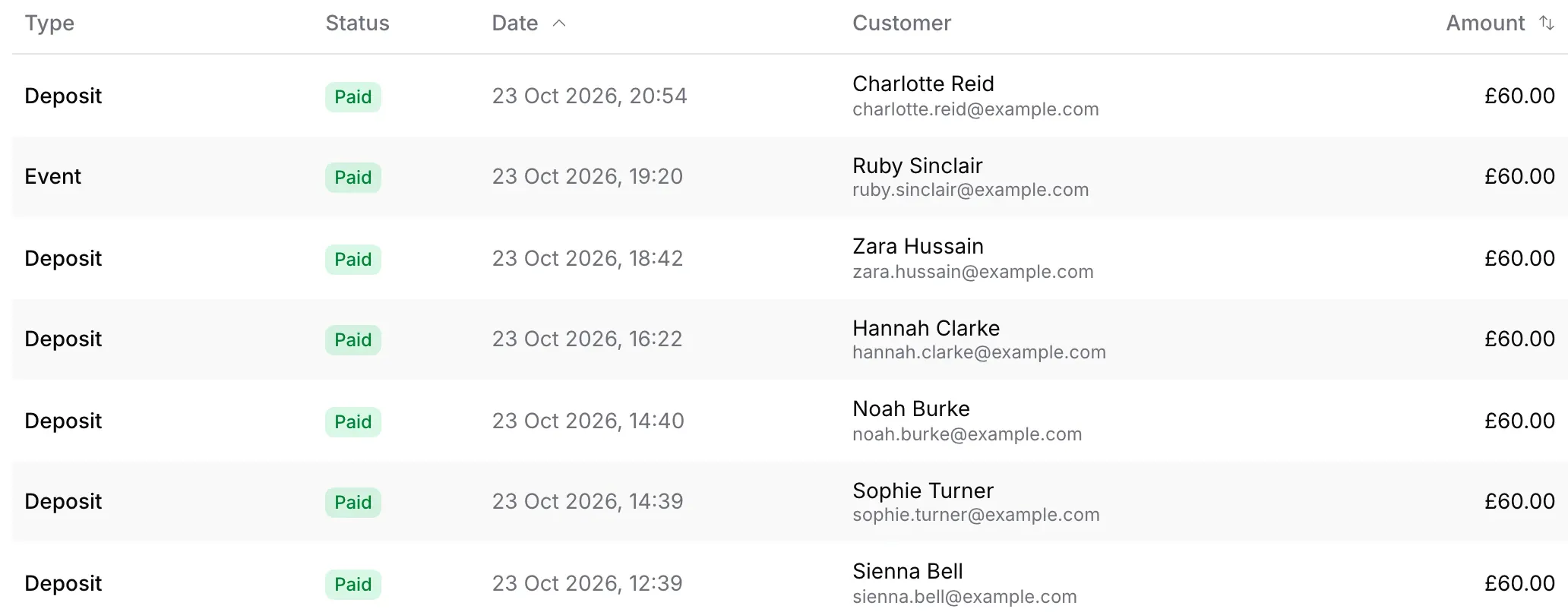
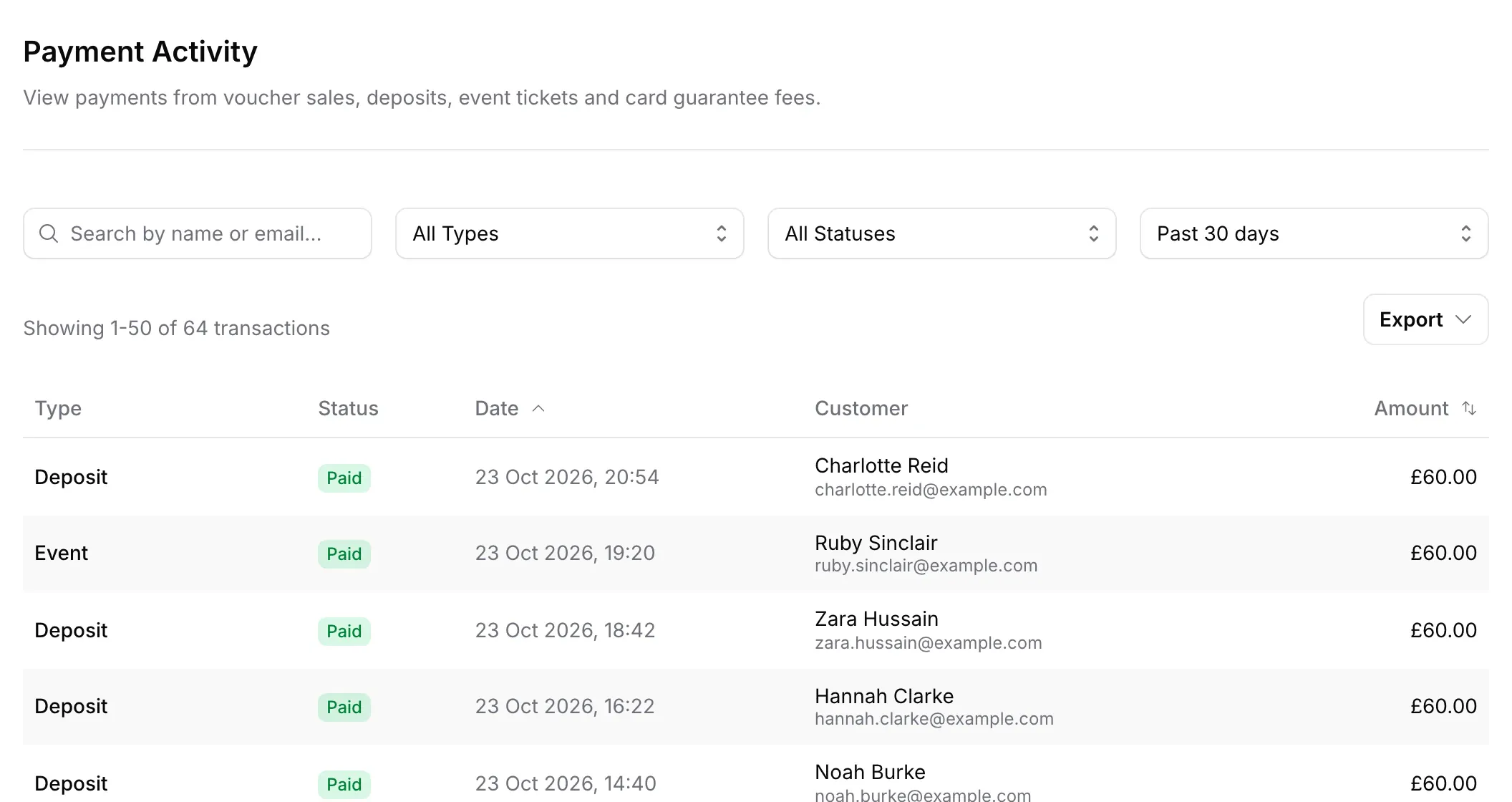
Deposits and card guarantee fees land in Payment Activity, ready to filter and export.
Two ways to protect a booking
Deposit or card guarantee: choose per rule
Guests pay upfront when they book
Ideal for set menus, chef's tables, private parties and your busiest nights. The deposit goes straight to your Stripe account, and you take it off the bill on the day.
- Per guest or per booking
- Refundable or non-refundable
- Refunded automatically if a guest cancels online before your cutoff

Nothing to pay now, protected all the same
Guests save a card securely when they book. If they cancel late or don't show, your team decides whether to charge the fee you set.
- Late-cancellation fee, no-show fee, or both
- Per guest or per booking
- Fees are only ever charged by your team

If a time matches both, the deposit applies.
Every channel covered
Wherever the booking starts, the rule follows
- Booking widget & TableGo page
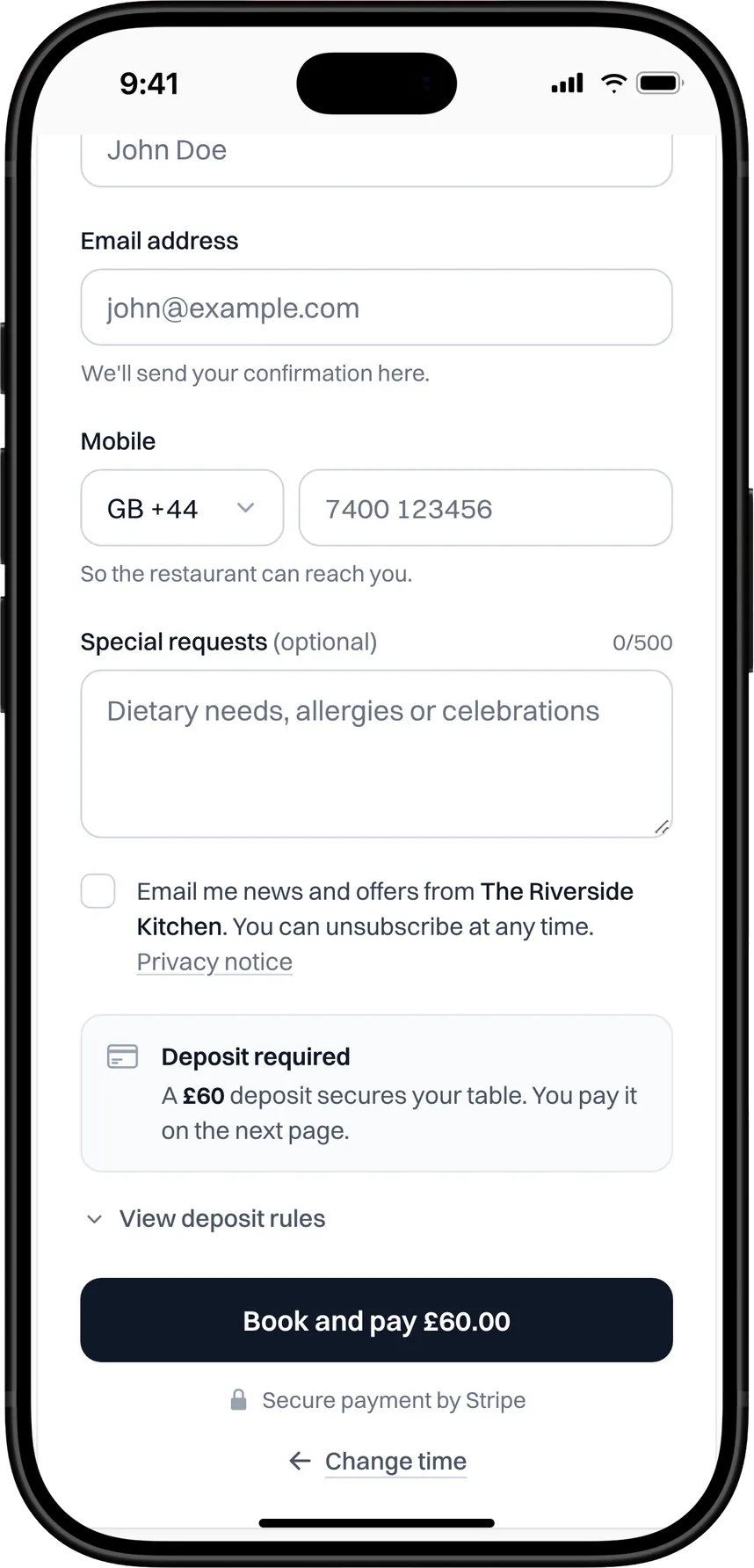
- Protected times are marked and paid for in your TableGo booking flow. On your TableGo page and booking link it all happens on the page; from the widget on your own website, the payment step opens in a new TableGo tab with the guest's details already filled in.
- Phone and walk-in bookings
- Switch on Collect deposit or Require card guarantee when you add a booking, then send the guest a payment link or a save-card link by email, or let them scan a QR code.
- Reserve with Google Pro
- Deposits and card guarantees both apply. When a Google booking needs protection, Google shows the amount and sends the guest to your TableGo booking page to pay the deposit or save their card.
- TableGo in ChatGPT
- Guests who find you through the TableGo plugin in ChatGPT see the deposit or card guarantee before they book, then pay or save their card on your TableGo booking page.
Needs a connected Stripe account that can take payments, and Reserve with Google switched on for Google bookings. For card guarantees, Google displays one fee: the higher of your late-cancellation and no-show fees.
Payments you can trust
Built on Stripe. Controlled by you.
Secure checkout
Guests pay or save their card on Stripe's secure page. Card details are handled by Stripe.
Your money, your account
Deposits and fees are paid into your connected Stripe account, not held by TableGo.
Clear terms, every time
Amounts, refund rules and cutoffs are shown before guests book and in their confirmation email.
The right people in control
Only Owners and Managers can refund deposits or charge card guarantee fees.
How it works
Set it once. It runs every service.
- 1
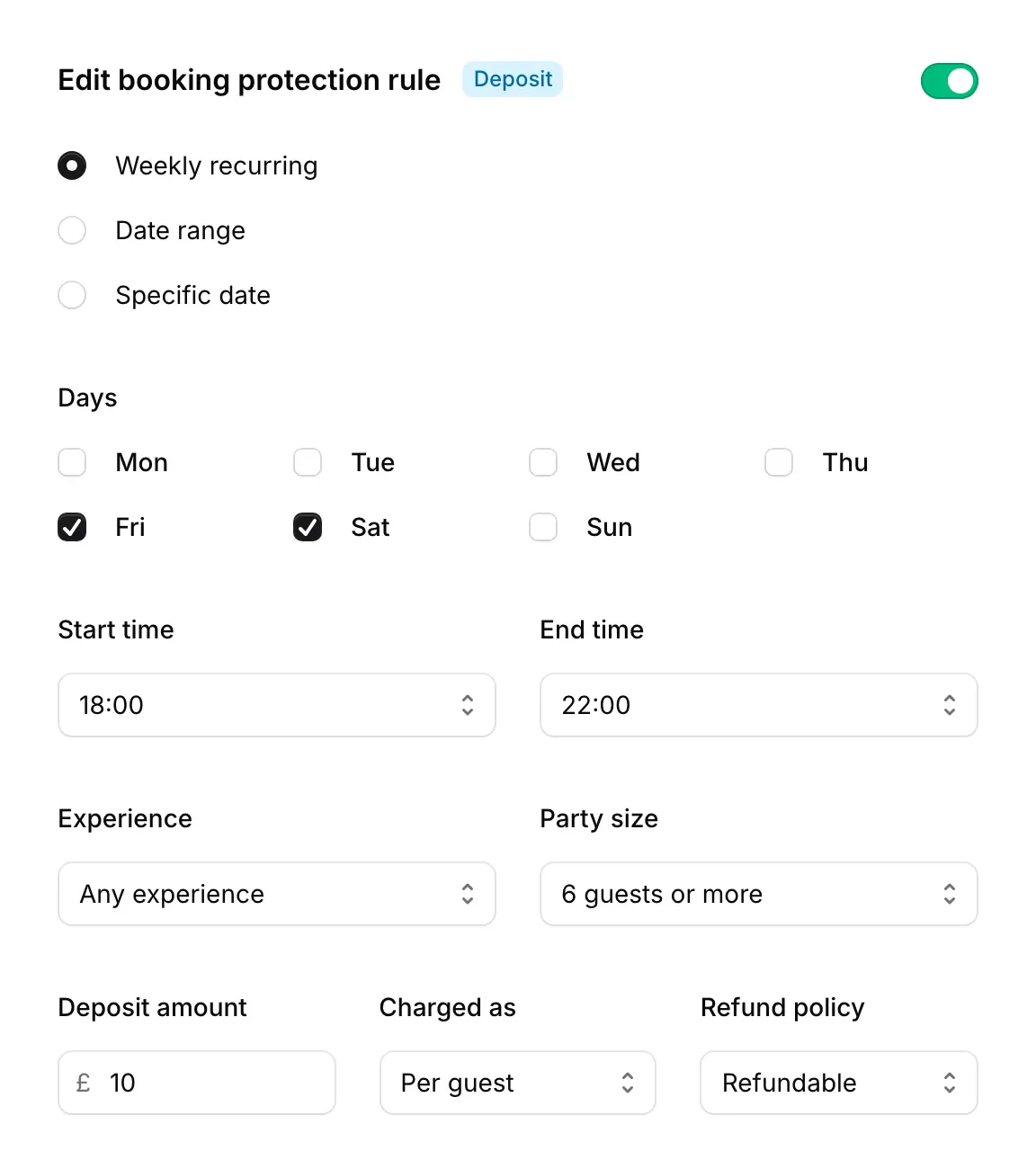
Set your rule
Pick the days and times, an experience or a minimum party size. Set the amount, per guest or per booking, and how long guests can cancel and still get their money back.
- 2
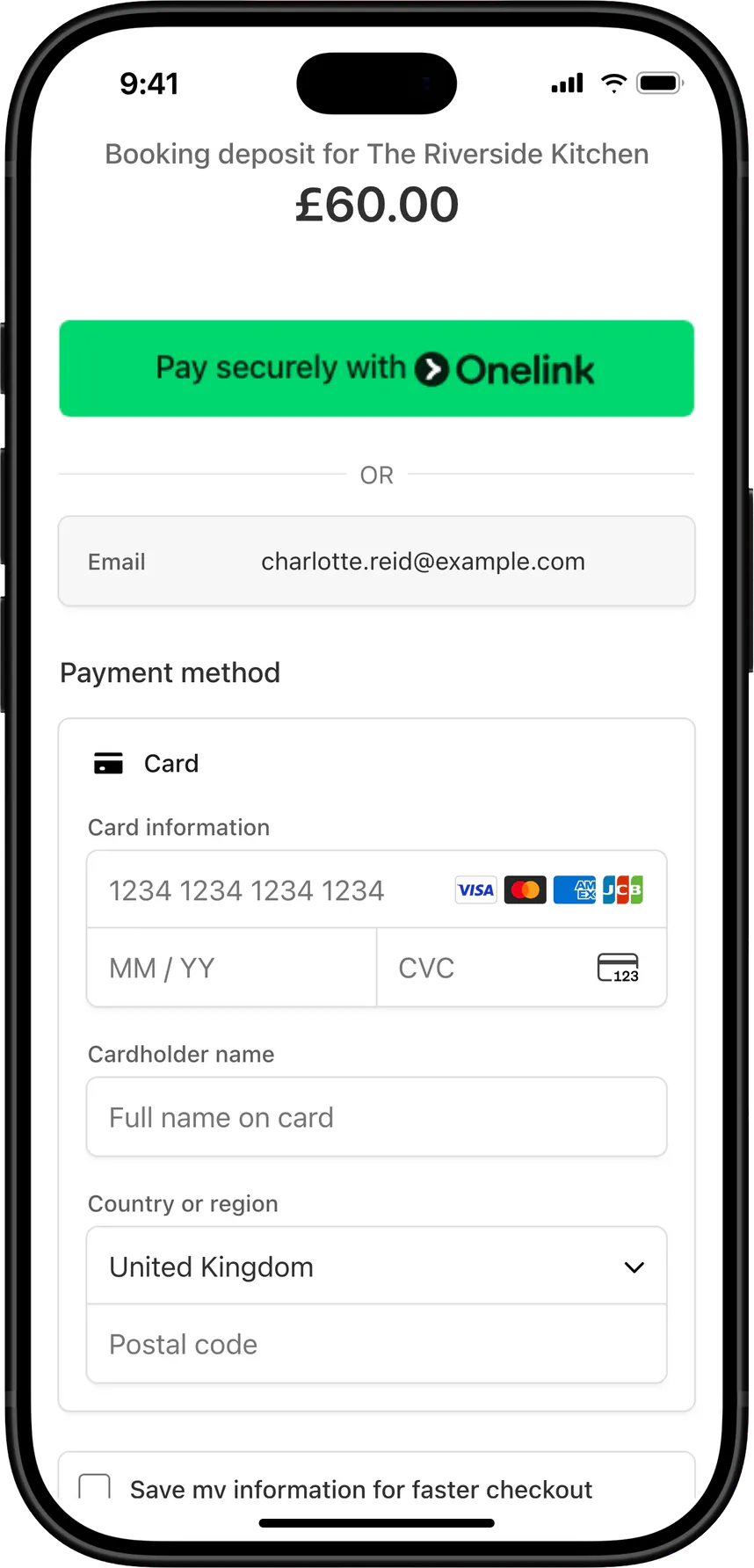
Guests book and pay
Matching times are marked, with the deposit shown under them. Guests tap Book and pay, pay on a secure Stripe page, and the booking confirms automatically. Unpaid bookings are released after the hold time you choose.
- 3
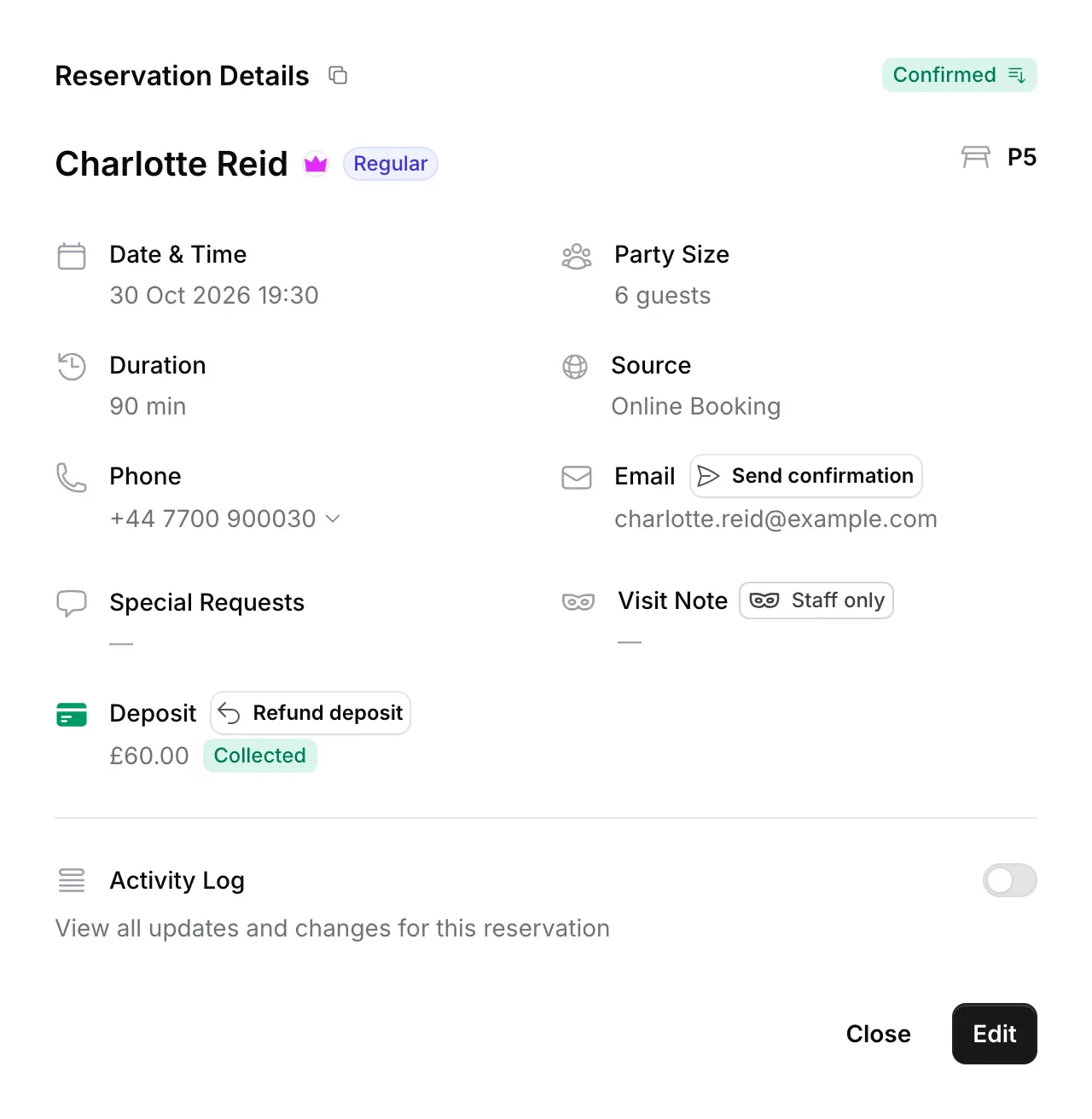
Run the night with confidence
Paid deposits show on your timeline and in reservation details. Owners and Managers can refund in two clicks, and every payment is in Payment Activity.
Questions venues ask
What's the difference between a deposit and a card guarantee?
A deposit is paid when the guest books. A card guarantee saves the guest's card without charging it; your team can charge a late-cancellation or no-show fee later if one applies.
Can I ask for deposits only on busy nights or for larger groups?
Yes. Each rule can apply to set days, a date range or a single date, a time window, a minimum party size or one experience, such as a chef's table.
What happens if a guest doesn't pay?
The booking stays pending and is released automatically after the hold time you choose: 10 to 60 minutes for online and Google bookings, 1 to 24 hours for bookings your team creates.
Are deposits refunded automatically?
If the rule is refundable and the guest cancels online before your cutoff, the full deposit is refunded automatically. Owners and Managers can also refund the full deposit from the reservation at any time.
Do deposits work with Reserve with Google?
Yes, for deposits and card guarantees. Google shows the amount and sends the guest to your TableGo booking page to pay or save their card, so your rules apply exactly as they do online.
Do I need Pro for card guarantees?
Card guarantees are a Pro feature. Deposits are on every plan, and on Pro TableGo takes no platform fee on them.
What does it cost?
Stripe's standard processing fees apply. TableGo's platform fee is 3.5% on Basic and 0% on Pro.
Start protecting your busiest nights
Connect Stripe, add your first rule and you're ready for this weekend.
- Basic is free forever
- No credit card required