Gift vouchers
Sell gift vouchers from your own page, all year round
Offer set amounts, an experience like afternoon tea, or let guests choose the amount. They pay securely with Stripe, the voucher is emailed straight to the person it's for, and your team redeems it with a 9-character code.
- Basic is free forever
- No credit card required
Your TableGo page · Booking widget · Your website · Over the counter Pro
Why venues sell vouchers with TableGo
A gift for every guest, with nothing to post or print
Any amount, or an experience
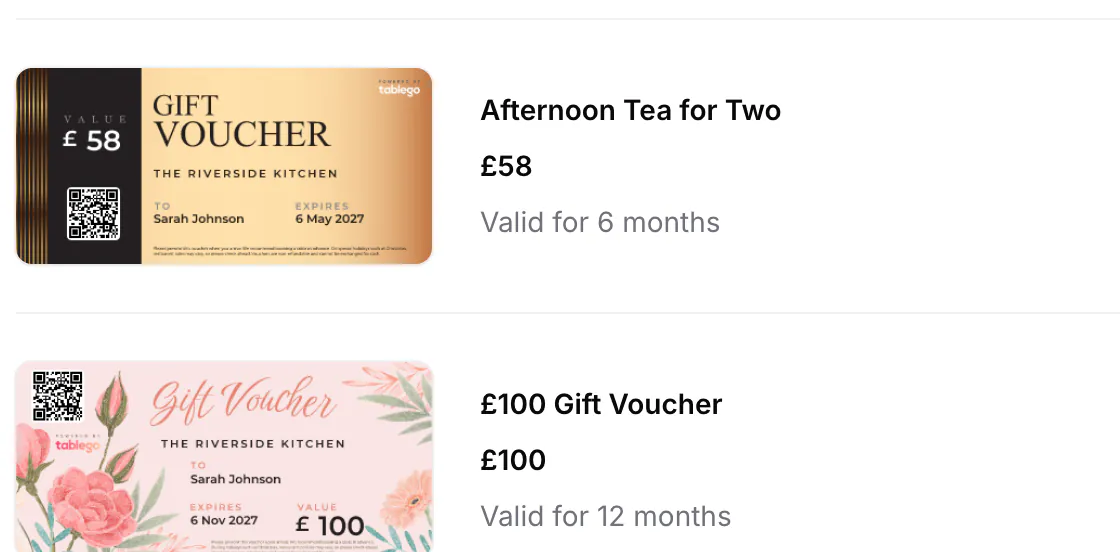
Sell £25 or £100 vouchers, an afternoon tea for two, or a choose-your-amount voucher. Each one has its own design and validity.
Straight to the recipient
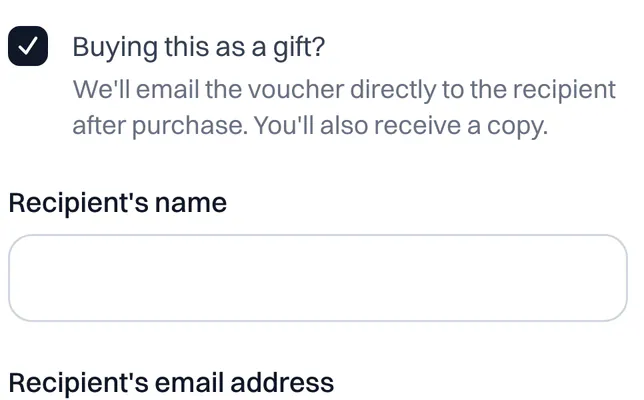
Buying a gift? Guests add the recipient and a message, and the voucher is emailed to them as soon as the payment goes through. The buyer gets a copy.
Redeemed in seconds
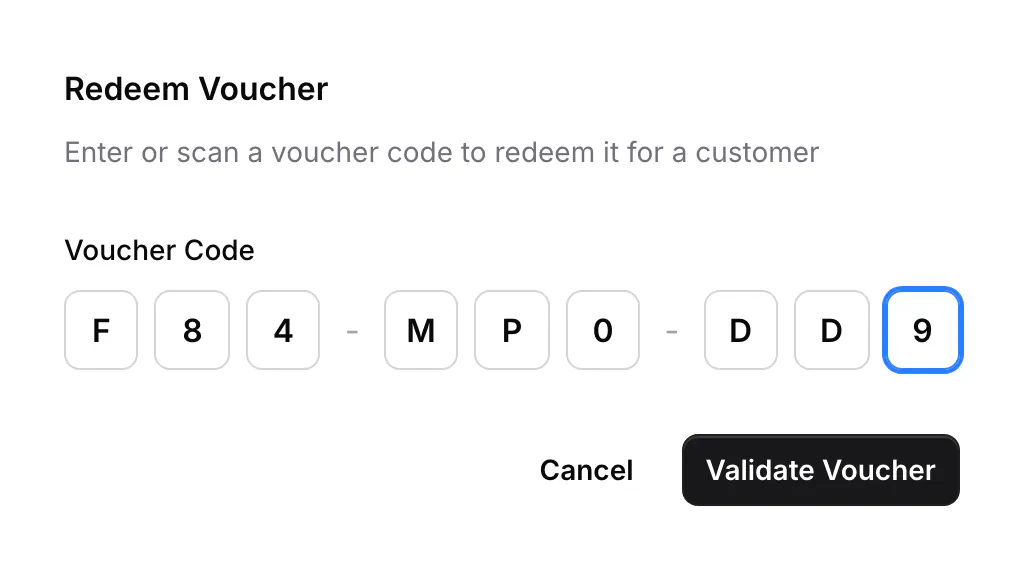
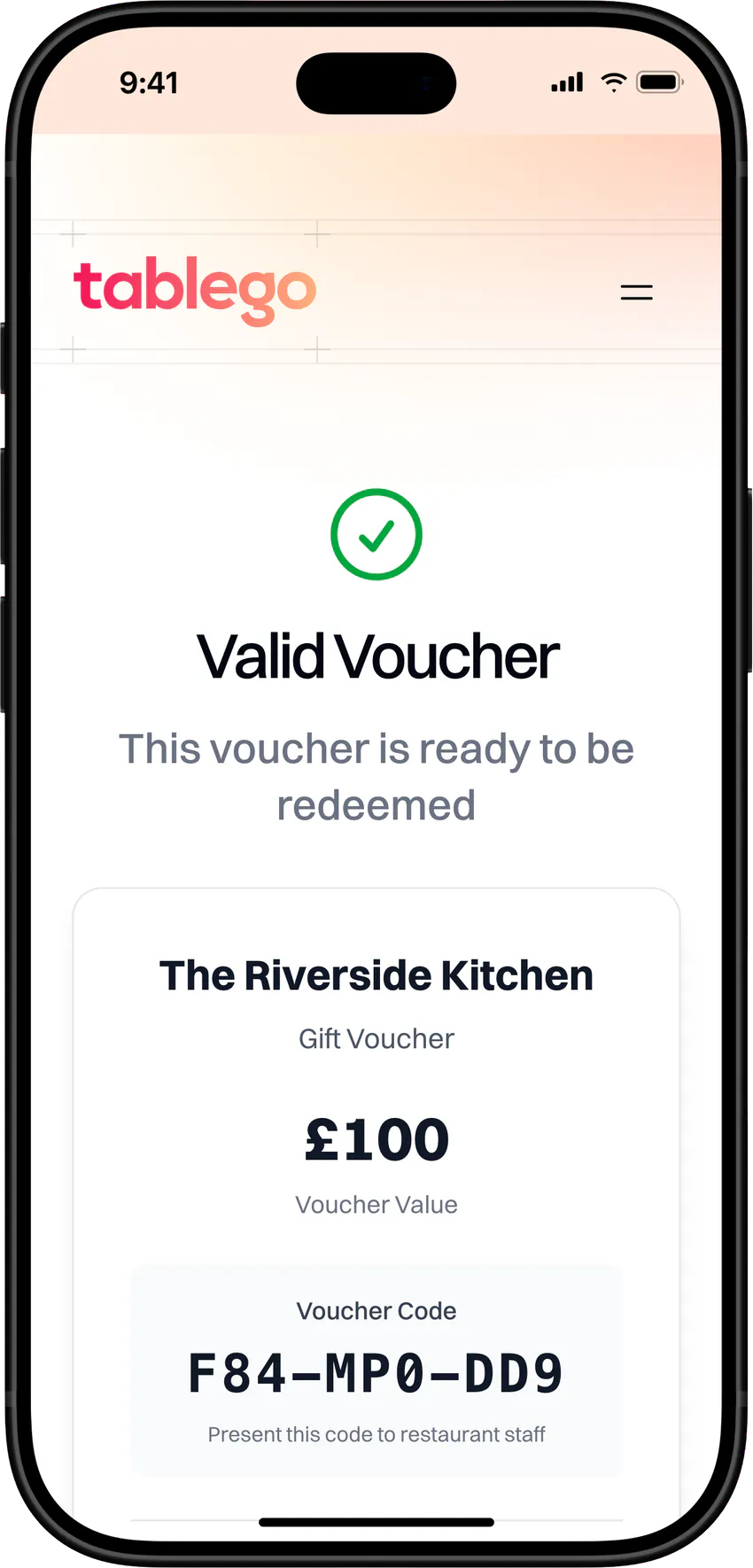
Type the 9-character code, check who it's for and when it expires, and redeem it. A voucher that's already redeemed or refunded can't be used again.
Sold over the counter too Pro
Selling a voucher at the till? Create Order issues the code and emails the PDF voucher to the buyer, and to the recipient if it's a gift.
Three ways to price a voucher
Set the price, the value and how long it lasts
Choose a validity of 1 to 12 months for each voucher. Guests see the value and the validity before they buy.
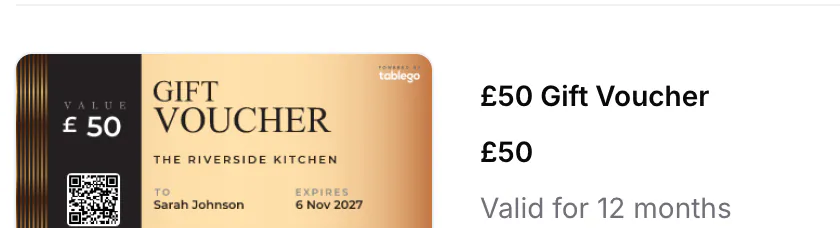
Fixed amount
A set value at a set price, like a £50 voucher or Afternoon Tea for Two.
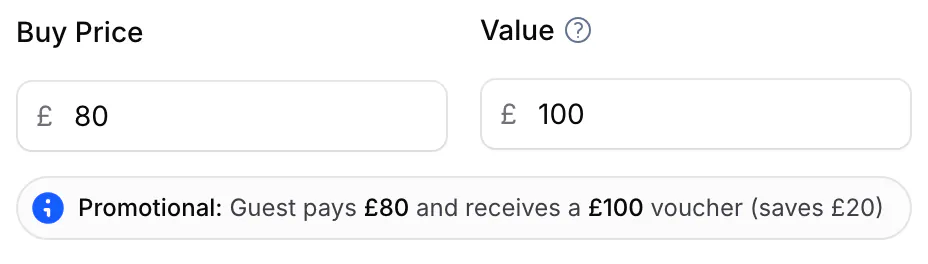
Promotional value
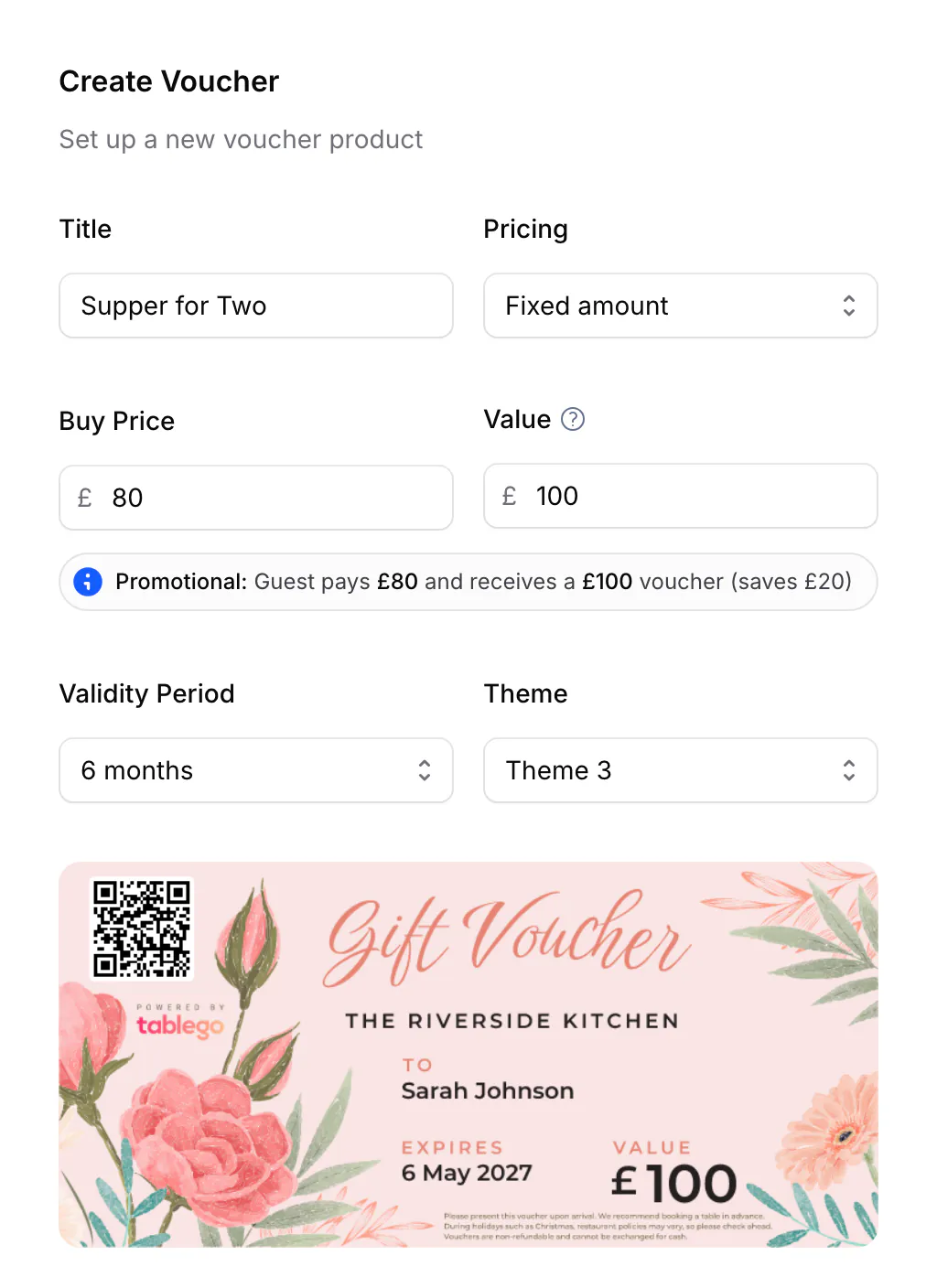
Charge less than the voucher is worth, such as £80 for a £100 voucher. Guests see the saving before they buy.
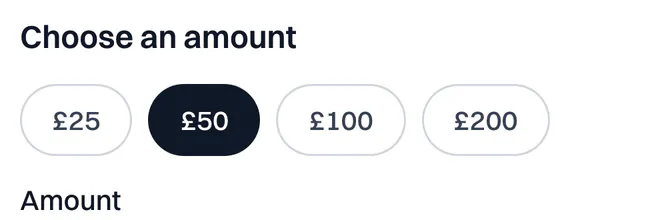
Choose your amount
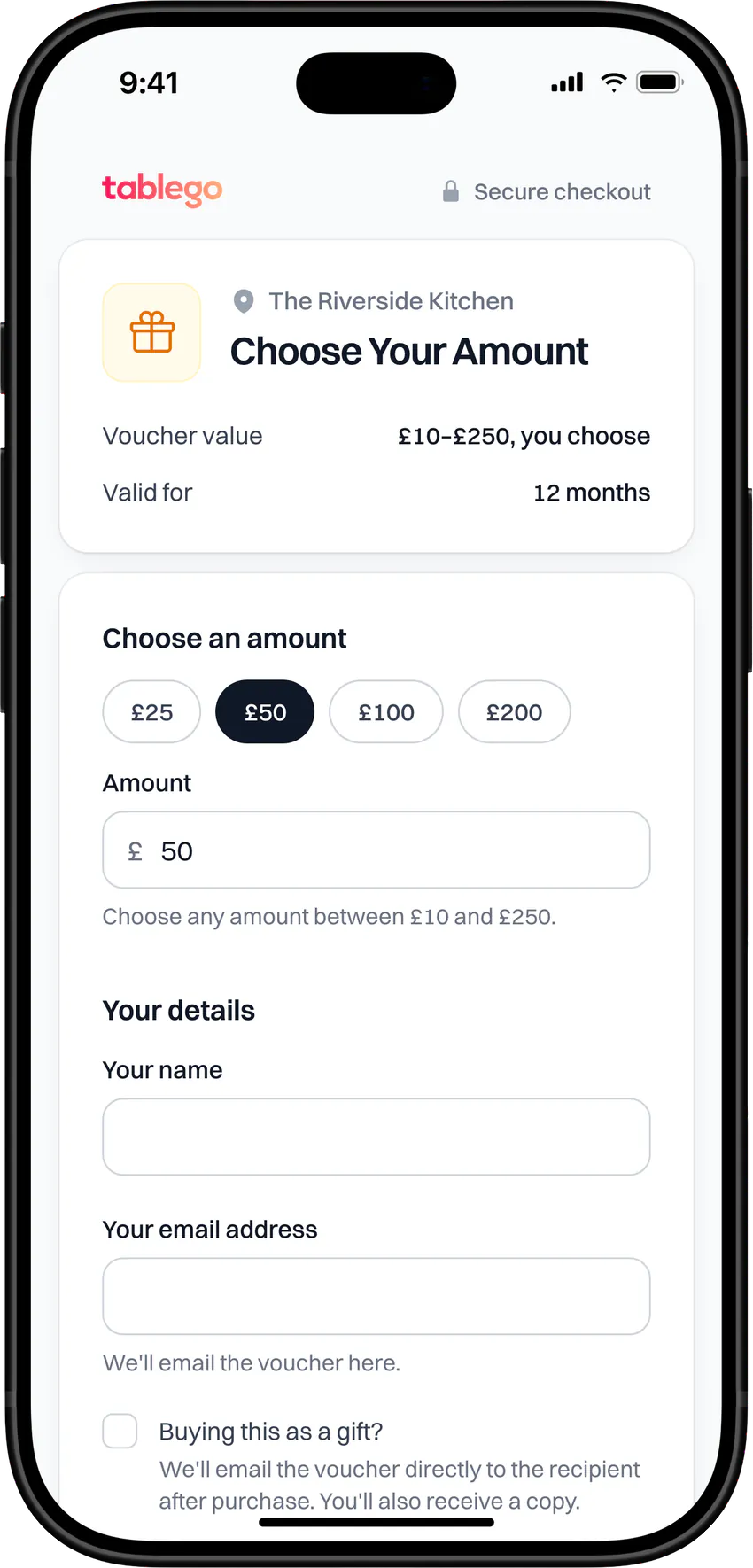
Set a minimum and a maximum, and guests pick any whole-pound amount in between, with quick picks like £25 and £50.
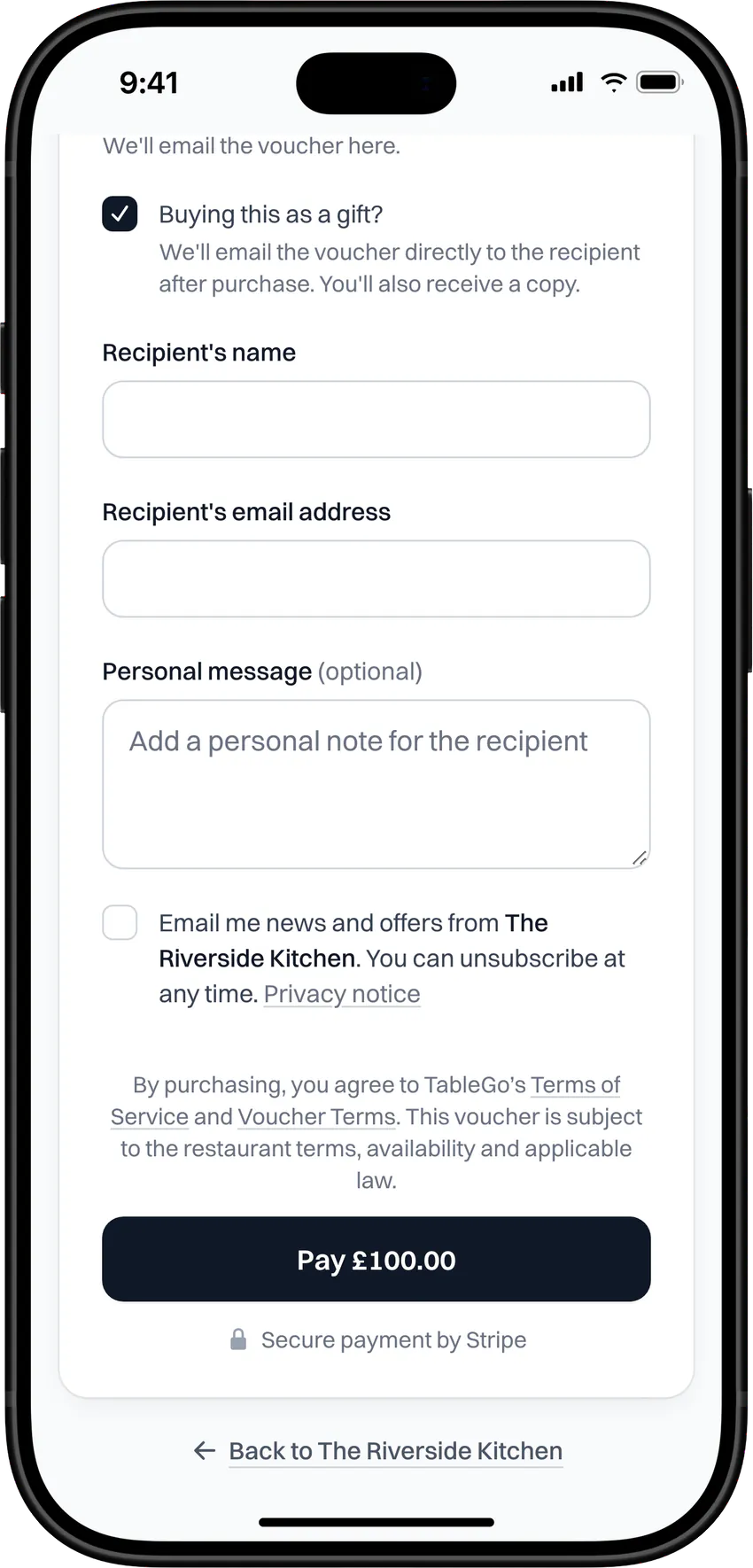
Delivery and redemption
Delivered the moment they pay, ready the moment they arrive
- A PDF voucher by email
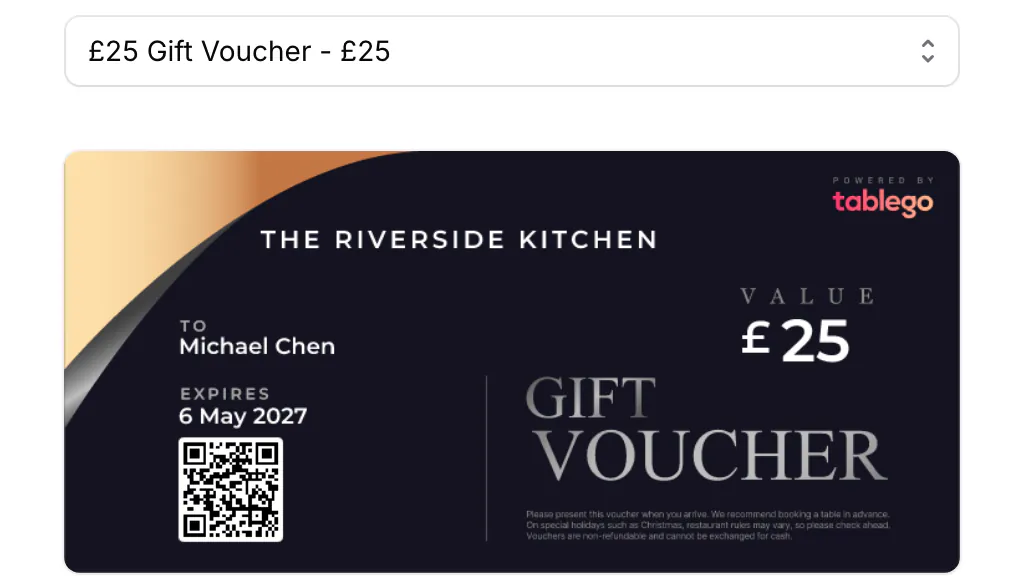
- The voucher arrives as a PDF in the design you chose, with the recipient's name, the value, the expiry date and a QR code.
- The gift message, in the email
- Gift vouchers go to the recipient with the buyer's personal message. The buyer gets their own copy.
- A voucher page guests can show
- The QR code opens the voucher's own page, with its value, code, status and expiry date, ready to show your team.
- Every sale in your dashboard
- Online sales appear in Voucher Orders straight away, with a sale email for each one to your venue's email address, or to your Owners and Managers.
- In your booking widget
- While you sell vouchers online, your booking link and website widget show Gift vouchers next to the booking form, so guests booking a table see them too. Owners and Managers can switch it off with Show in booking widget on the Vouchers page.
Guests buy on your TableGo page, from Gift vouchers in your booking widget, or on your website with the voucher widget or link from Settings → Website & Integrations.
Payments you can trust
Paid into your Stripe account. Every sale on record.
Secure checkout
Guests pay by card on Stripe's secure page. Card details are handled by Stripe.
Your money, your account
Voucher payments go straight into your connected Stripe account, not held by TableGo.
Refunds in full
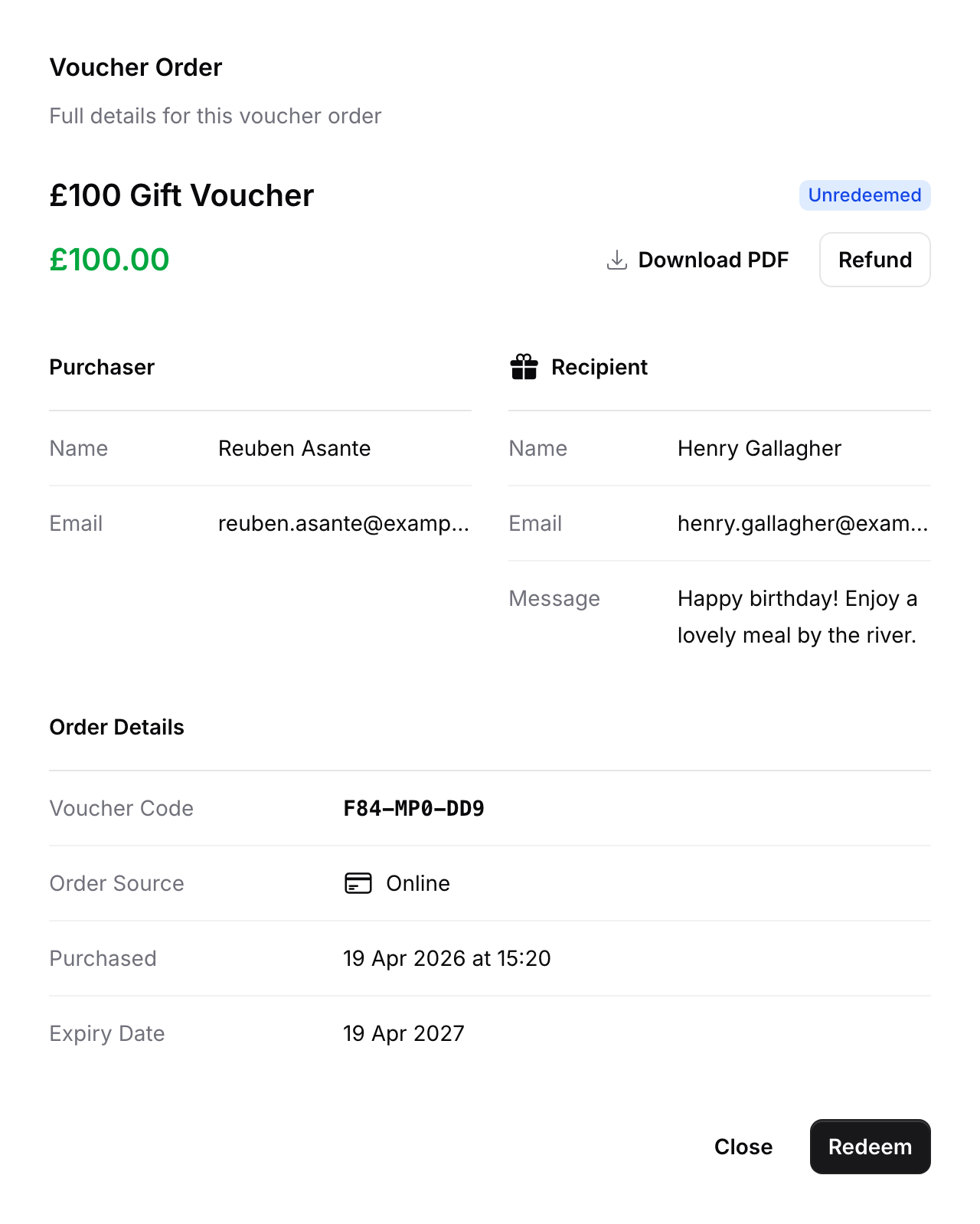
Owners and Managers can refund an unredeemed voucher bought online. The full amount goes back to the original card.
Ready for your accounts
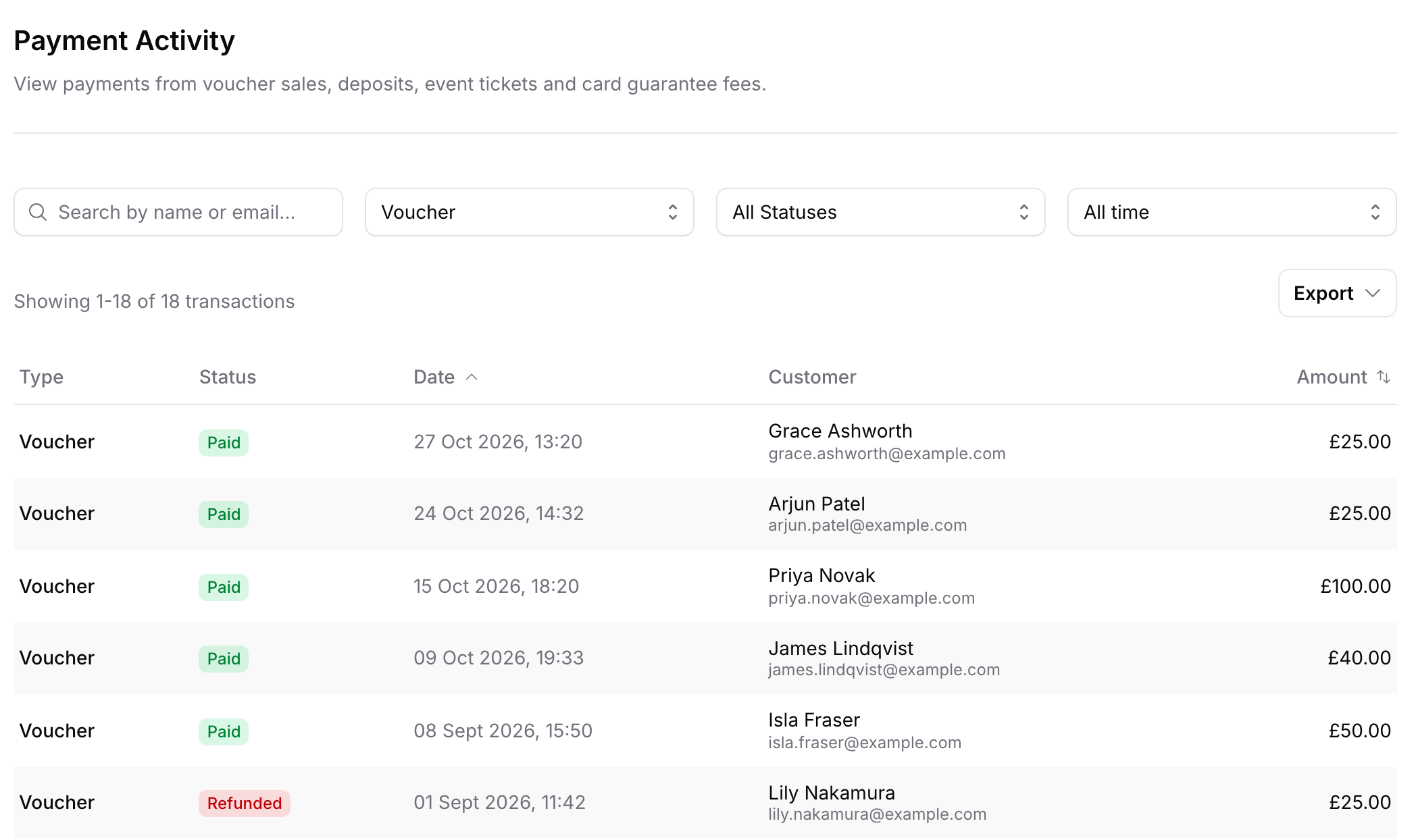
Every voucher payment is in Payment Activity, with filters and PDF or CSV export.
How it works
Set it up once. Sell all year.
- 1
Create your vouchers
Add a title, choose Fixed amount or Flexible amount, set the price and value, how long it's valid and one of three designs. The preview shows the voucher as guests will get it.
- 2
Guests buy and send
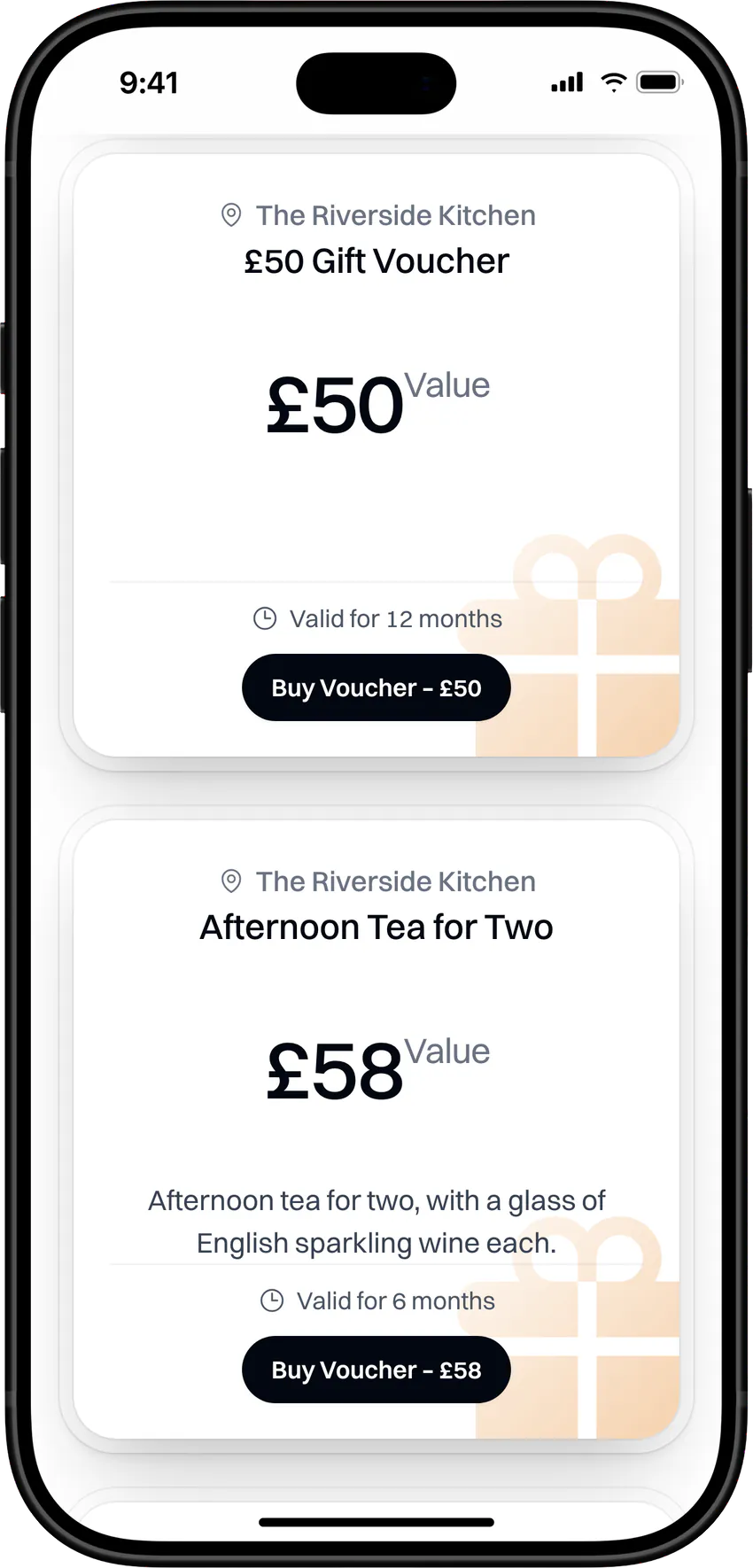
Guests choose a voucher on your TableGo page, in your booking widget or on your website, add their details and pay on a secure Stripe page. The voucher code appears on screen straight away, and the voucher is emailed as soon as the payment goes through.
- 3
Redeem when they visit
Enter the code in Redeem, or open the order in Voucher Orders. You see who bought it, who it's for and when it expires, then redeem it and add a note for your records.
Plans and access
Who can do what
- Plans
- Online voucher sales are on every plan. TableGo's platform fee is 3.5% on Basic and 0% on Pro, plus Stripe's processing fee. Selling vouchers over the counter is Pro.
- Create and edit vouchers
- Owners and Managers. Staff can see them.
- Sell over the counter and redeem
- Owners, Managers and Staff.
- Refunds and payment reports
- Owners and Managers.
- What you need
- A connected Stripe account that can take payments, in Settings → Payouts. Until then, guests see Gift vouchers unavailable.
- Where guests buy
- Your TableGo page, the Gift vouchers entry in your booking widget, the voucher widget or link on your own website, and at your till.
Questions venues ask
Can a voucher be spent over several visits?
No. A voucher is redeemed once, for its full value. To let guests spread a gift over several visits, offer smaller amounts, such as £25 and £50.
What happens when a voucher expires?
Nothing is blocked automatically. The expiry date is on the voucher and its page, Voucher Orders marks it Expired once it passes, and Redeem warns your team, so you decide whether to accept it. You can still redeem or refund it. You choose a validity of 1 to 12 months.
Can I sell vouchers in person?
Yes, on Pro. Use Create Order to record a voucher sold at your till. TableGo issues the code and emails the PDF voucher to the buyer, and to the recipient if it's a gift. No card payment is taken in TableGo for these.
What does the recipient receive?
An email with the buyer's message and the PDF voucher attached. The PDF shows the value, the expiry date and a QR code that opens the voucher's page with its code.
Can I sell an experience, like afternoon tea?
Yes. Give a fixed-amount voucher the experience's name and description, such as Afternoon Tea for Two. It's redeemed like any other voucher.
Can I refund a voucher?
Owners and Managers can refund any unredeemed voucher from Voucher Orders. For a voucher bought online, the full amount goes back to the original card.
Where does the money go, and what does it cost?
Payments go straight into your connected Stripe account. Stripe's standard processing fees apply, and TableGo's platform fee is 3.5% on Basic and 0% on Pro.
Start selling vouchers this week
Connect Stripe, create your first voucher and share your voucher page.
- Basic is free forever
- No credit card required